
Release 1.15.0
 Alex Farrugia
New Feature (Organisations):
If you form part of a group of companies, Hidma now has you covered. With the organisations feature you can define an organisation for each of the companies which form part of your group. To get started, head over to the settings page and click on the Organisations section.
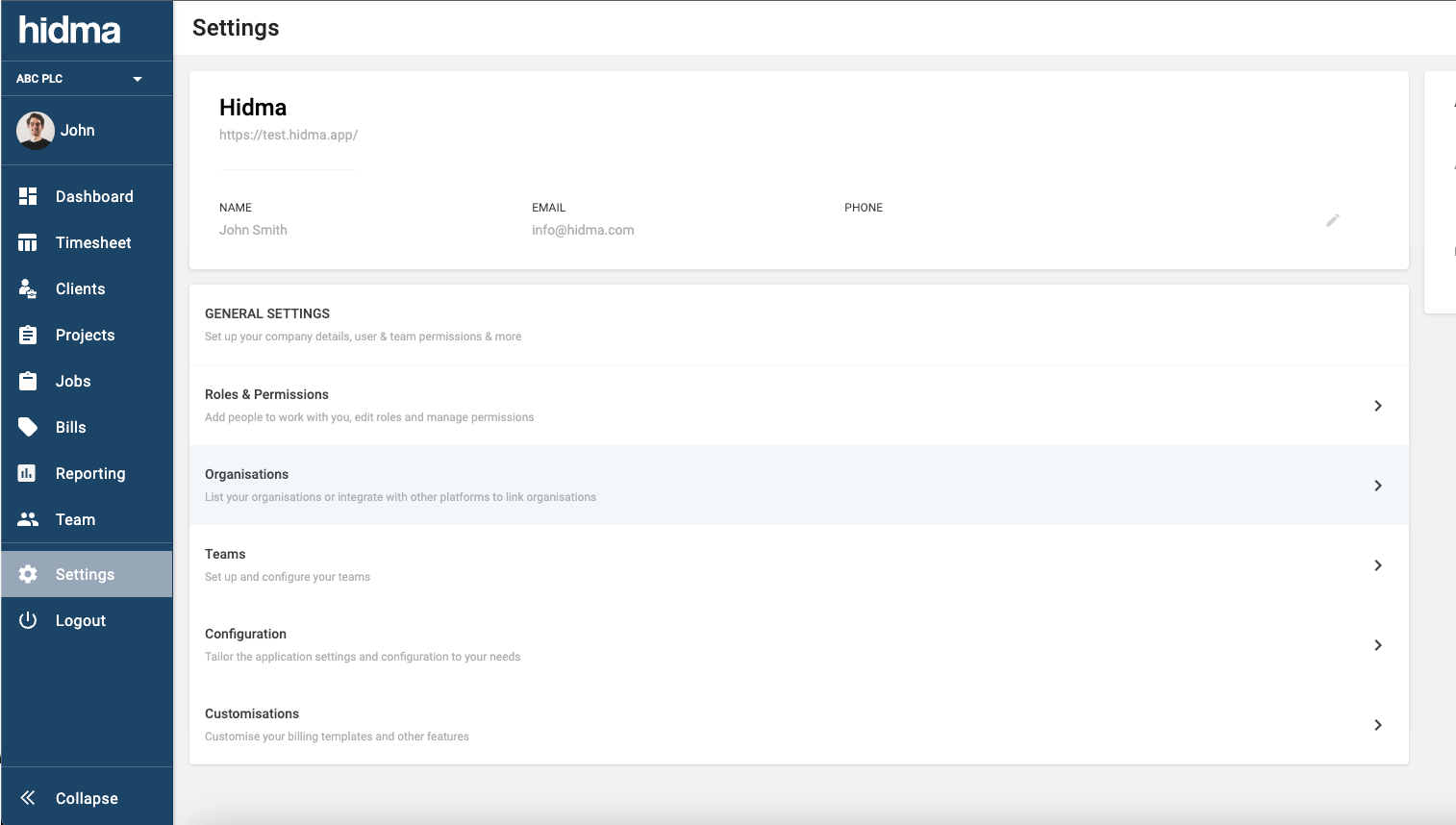
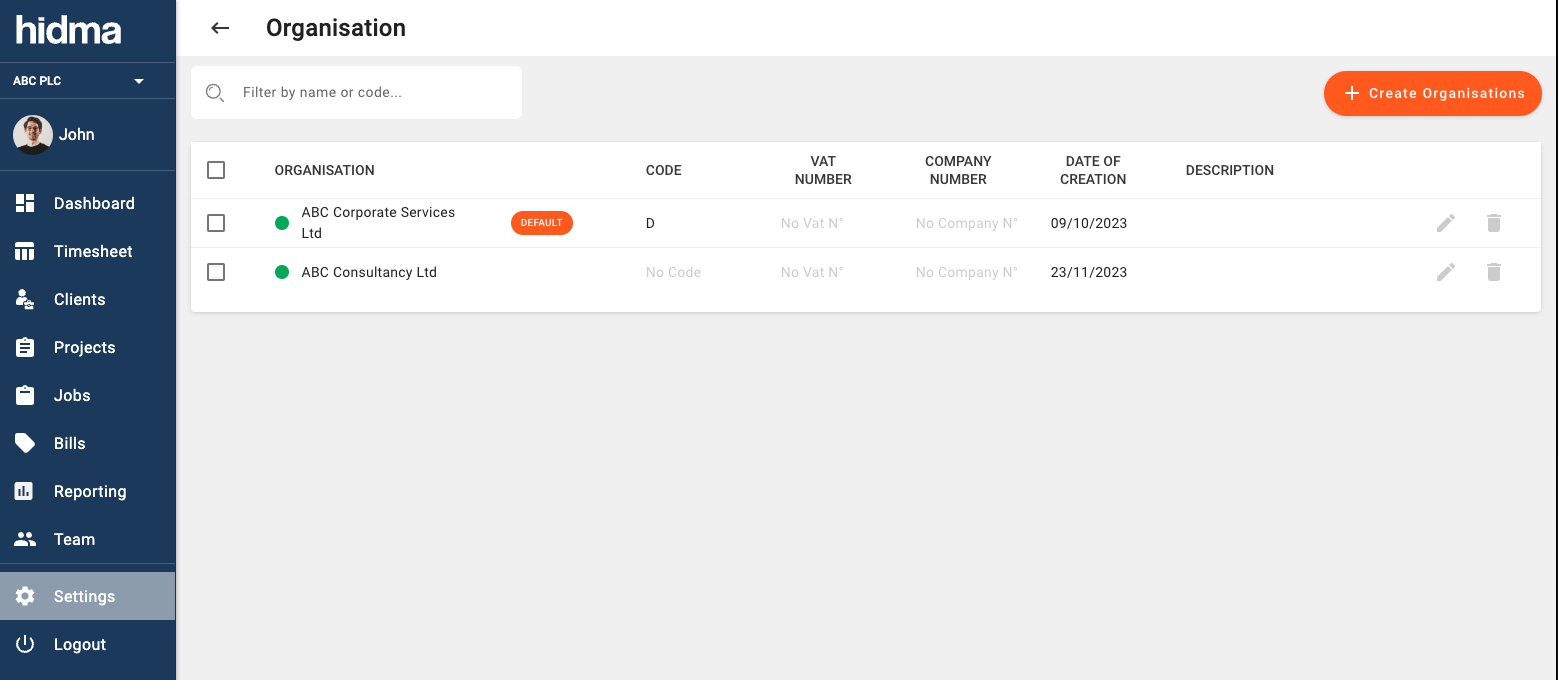
You will see a table with only organisation listed in it. You can edit this organisation and change the Default Name to whatever your primary company is called, there are also a few optional fields you can fill in. You can easily add other organisations using the same interface.
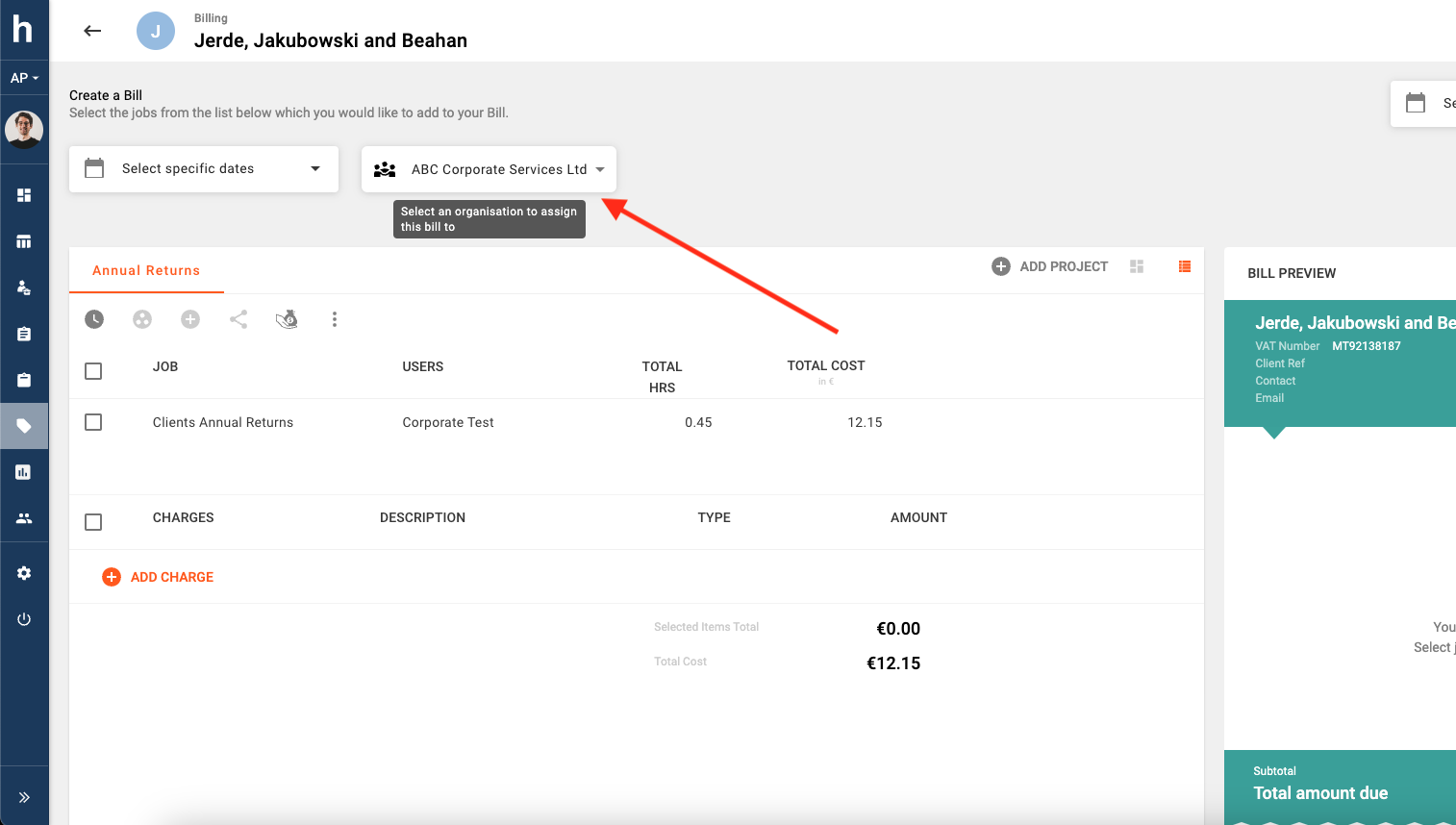
Once more than one organisation has been defined in the system, you will start being given the option to choose an organisation when creating or editing a bill.
A video explainer introducing the Organisations Feature may be viewed here.
New Feature (Organisations):
If you have jobs in Hidma which are nearly always related to work associated with one of the companies/ organisations you form part of, you will now have the option of assigning a Default Organisation to it. This will then help speed up the billing process because only unbilled jobs relating to your chosen organisation will be shown.
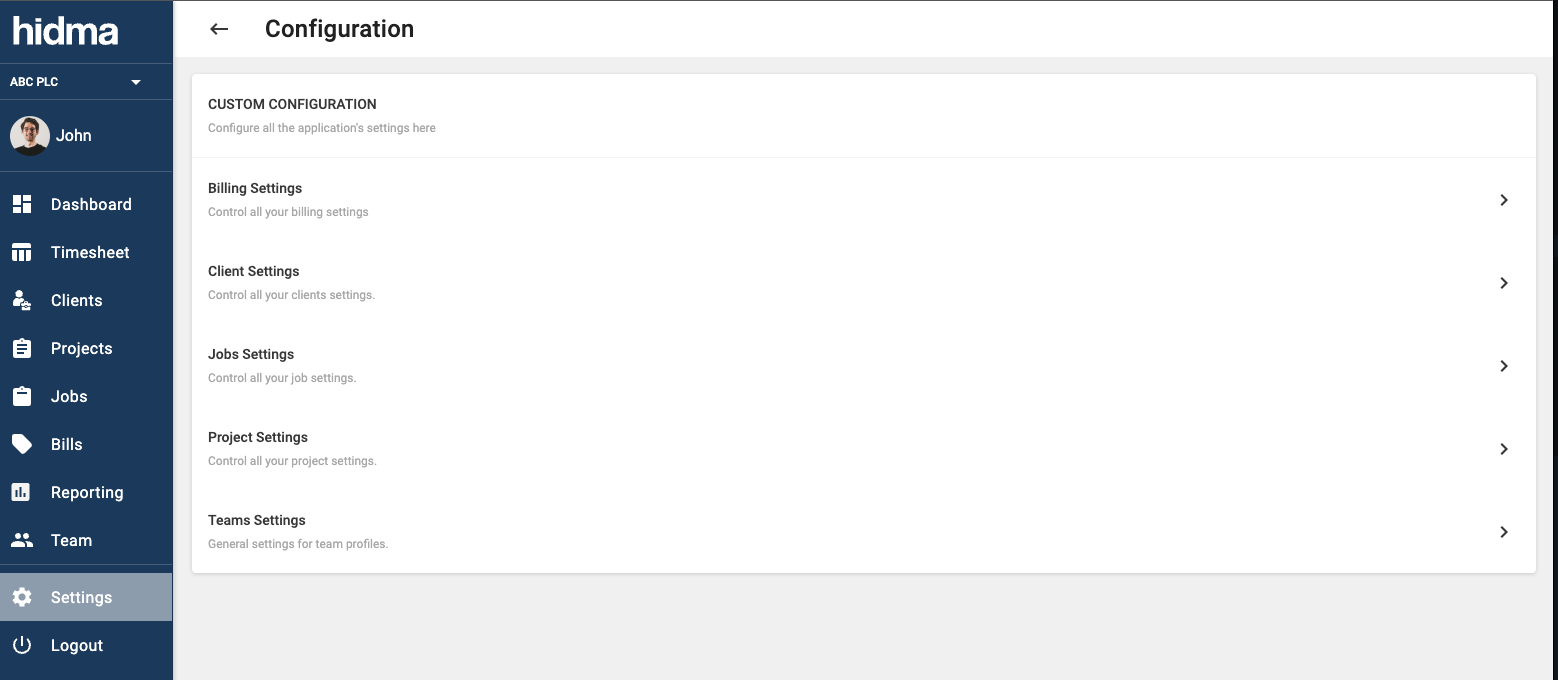
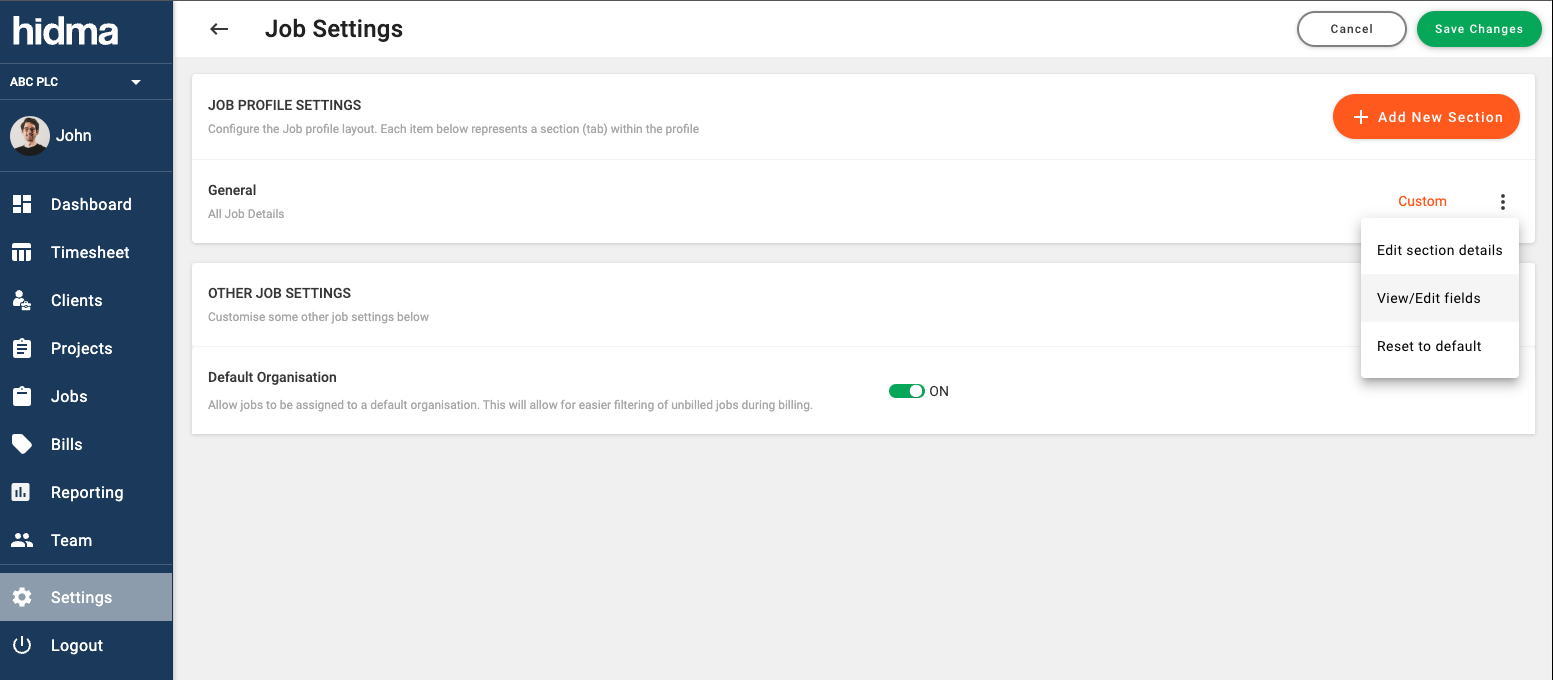
Start by heading over to Settings -> Configuration -> Job Settings page.
Underneath Other Job Settings you will see an option called Default Organisation. Switch this to ON and save.
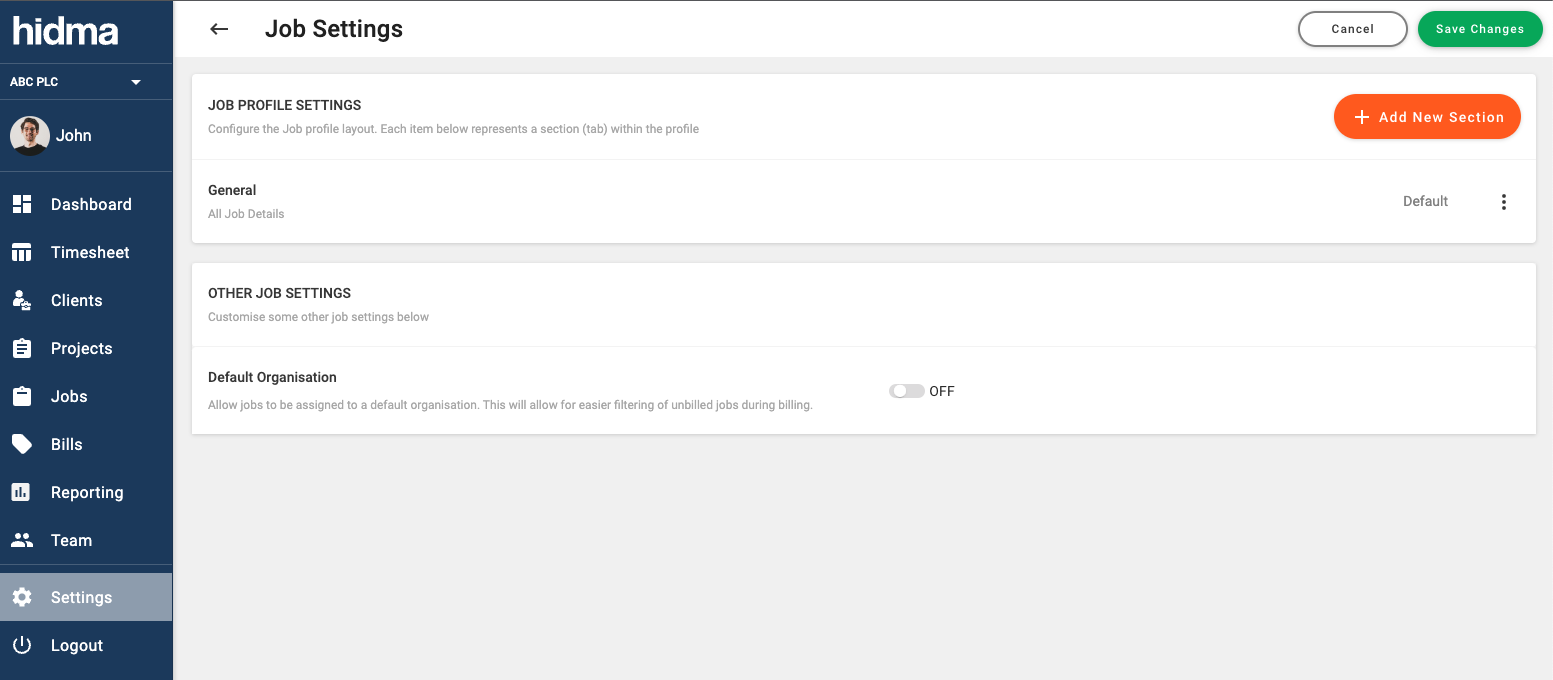
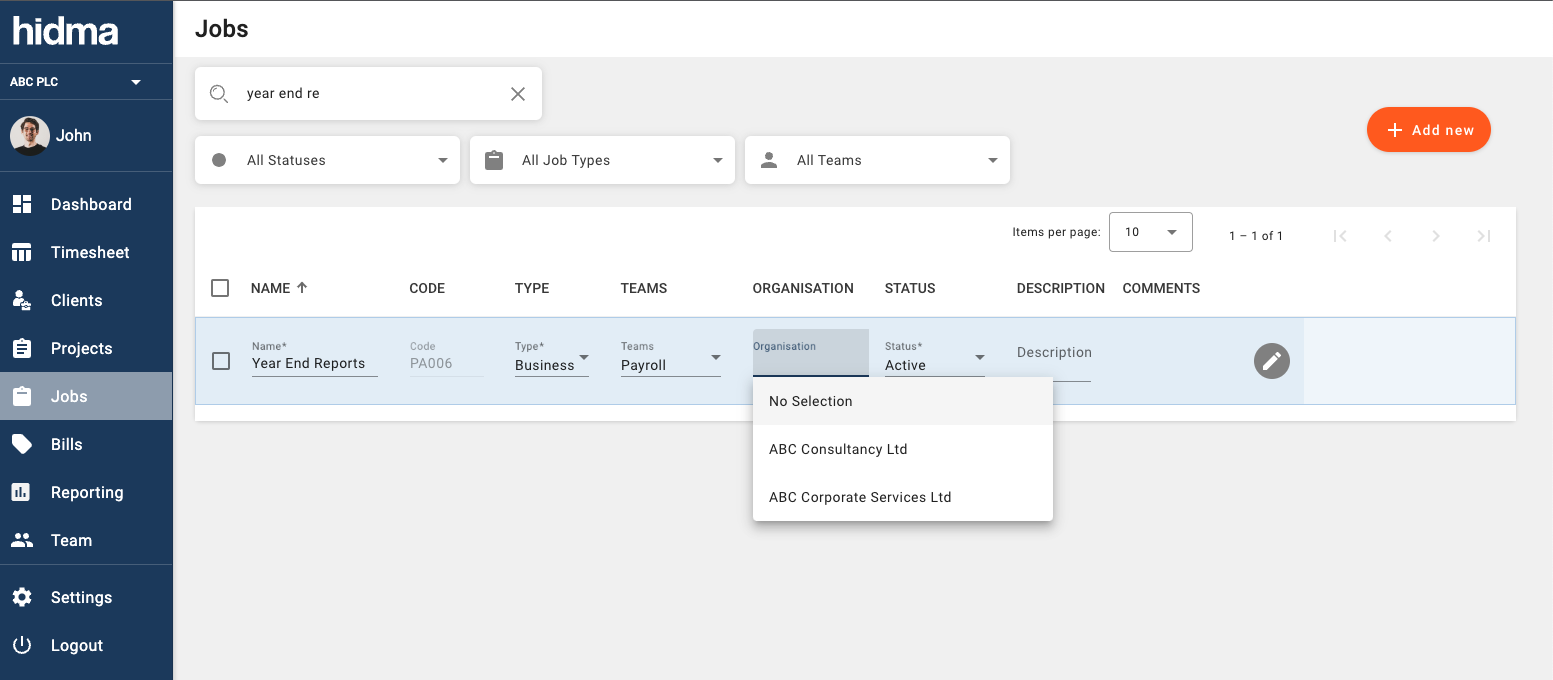
Once this has been enabled, head over to the jobs page and you can edit jobs directly inline on this page or by clicking the edit icon at the end of each row. Click on organisation and choose a default organisation to assign this job to.
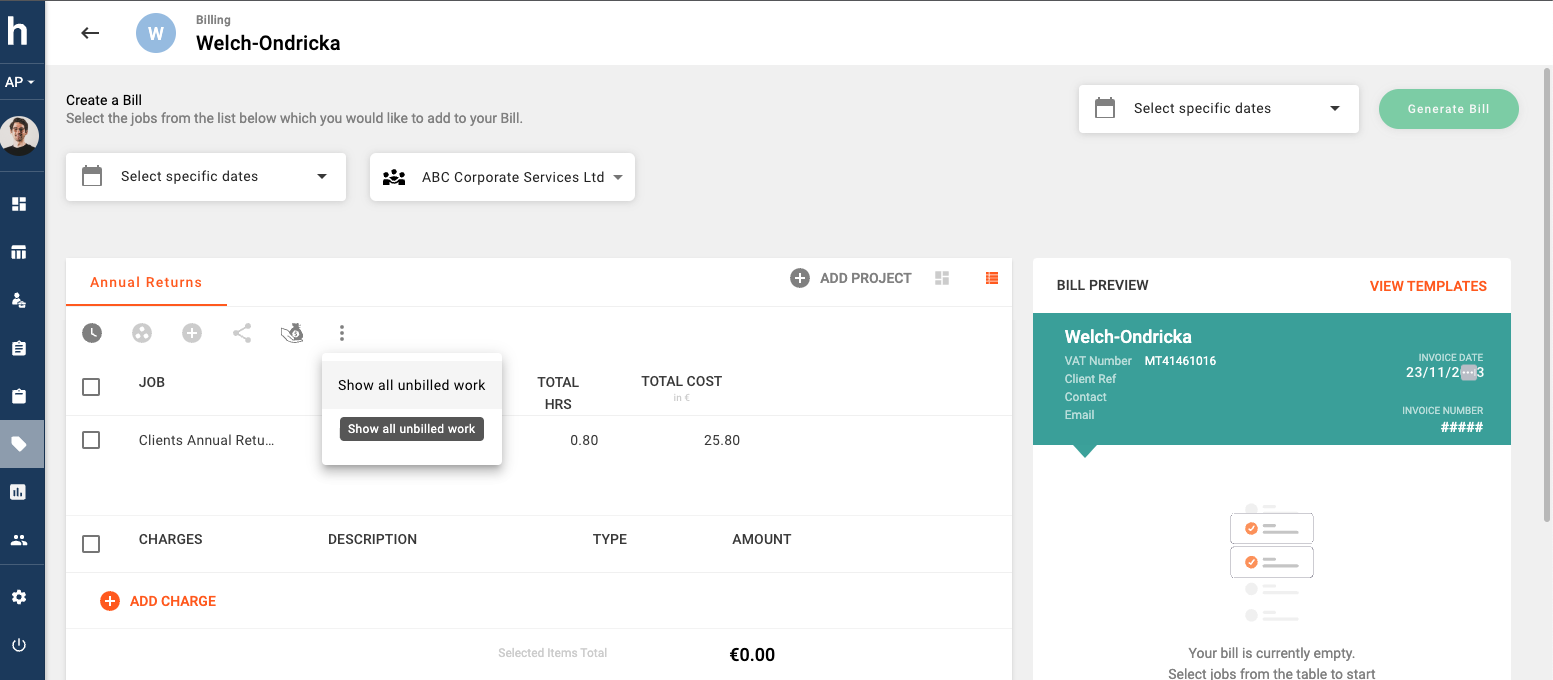
Once you are creating or editing a bill, you will notice that any unbilled work associated with this job will only be shown if you choose the organisation it has been assigned to. If you however would like to see all jobs irrespective of the default organisation they are assigned to, then you can open the context menu and select Show all unbilled work. View this feature in action by following this short video.
Improvement (Projects):
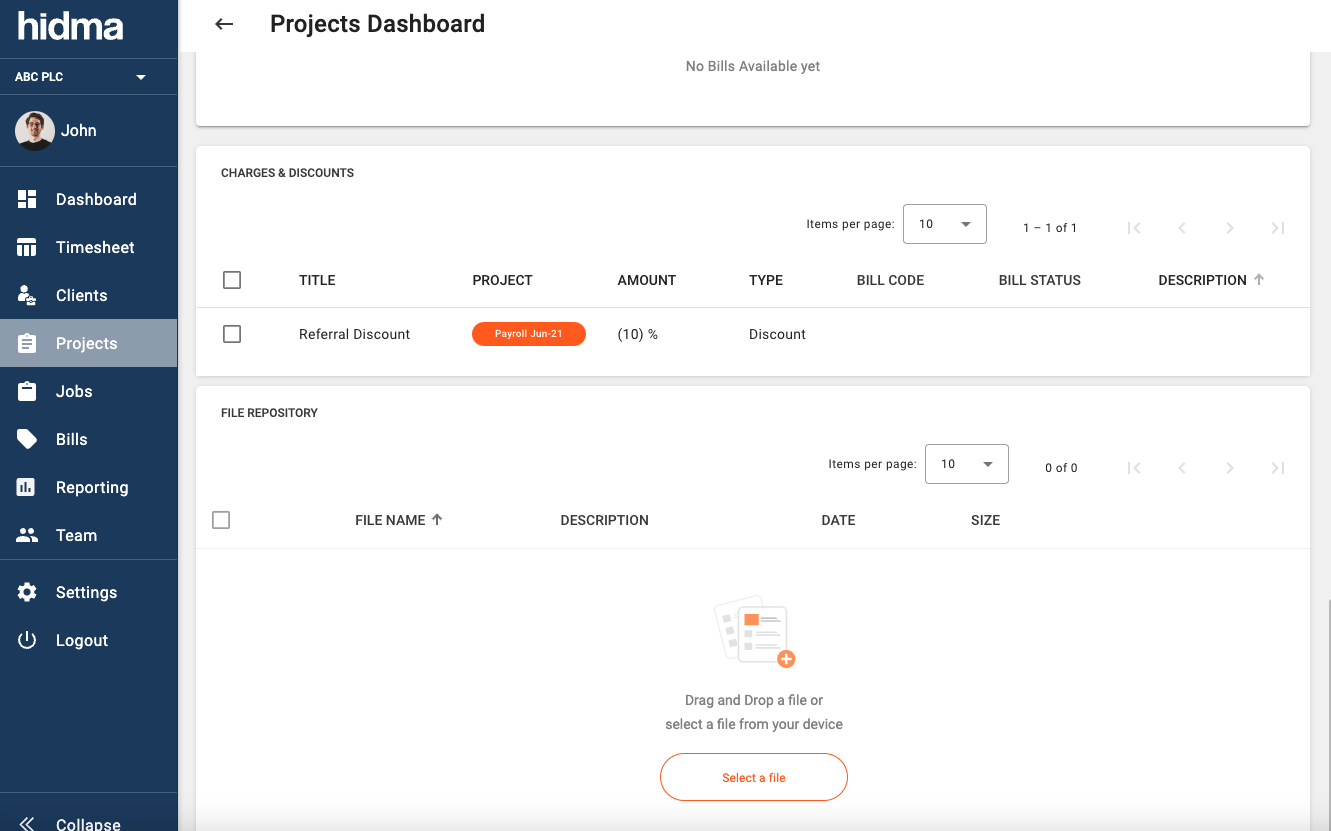
A new widget showing Charges and Discounts assigned to a specific project has been added to Project Dashboards.
Improvement (Jobs):
Job Profiles are now configurable and if you are a Super User then you can customise how a job profile looks as well as what fields it contains from within the Settings section.
Improvement (Settings):
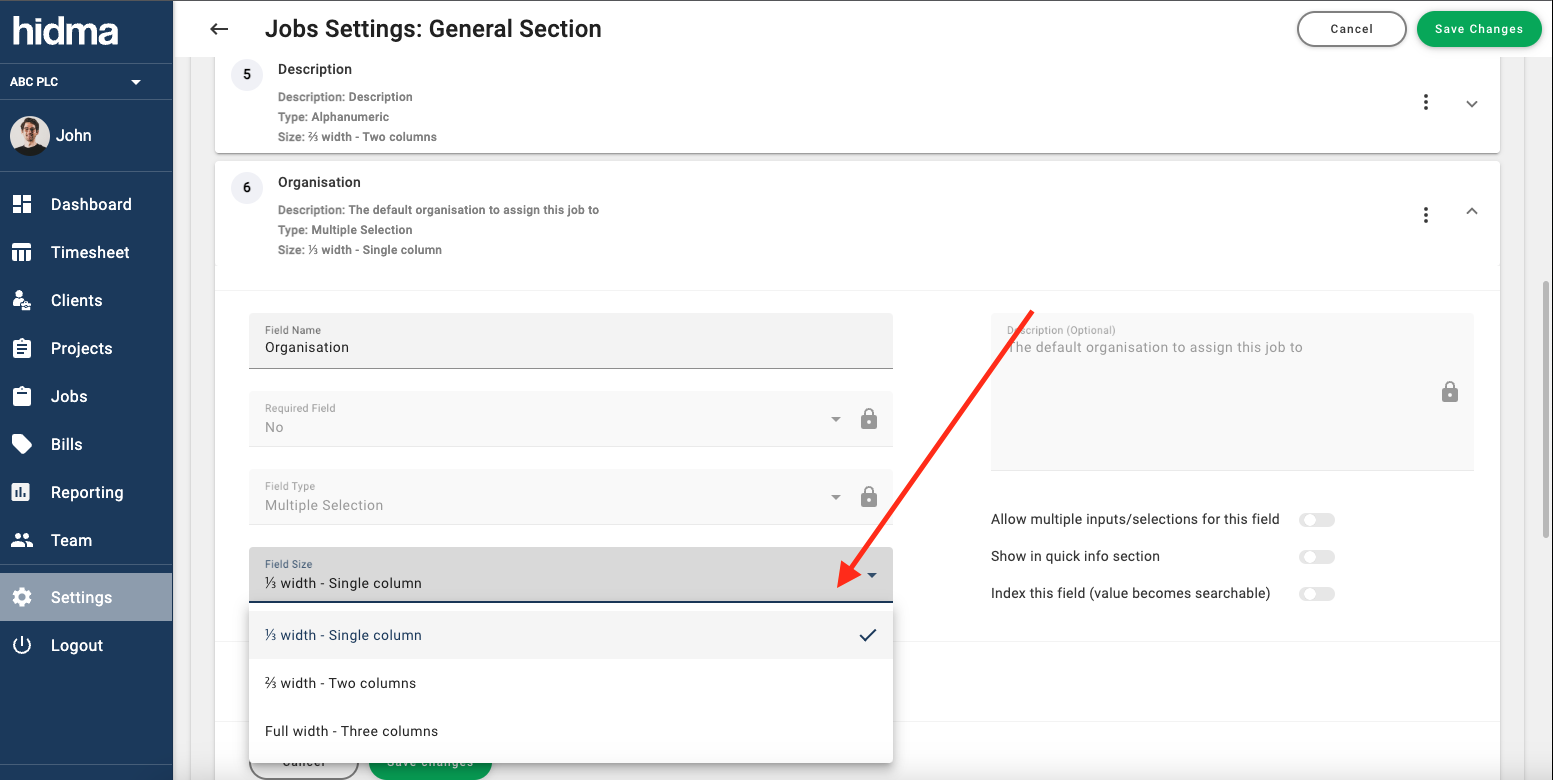
When editing the settings of a customisable profile such as a Job, Project, Client or User profile, you are now given 3 different field sizes to choose from.
Fix (Bills):
Deleting empty bills should now work as expected.
Release 1.14.0
Alex Farrugia
New Feature (Billing):
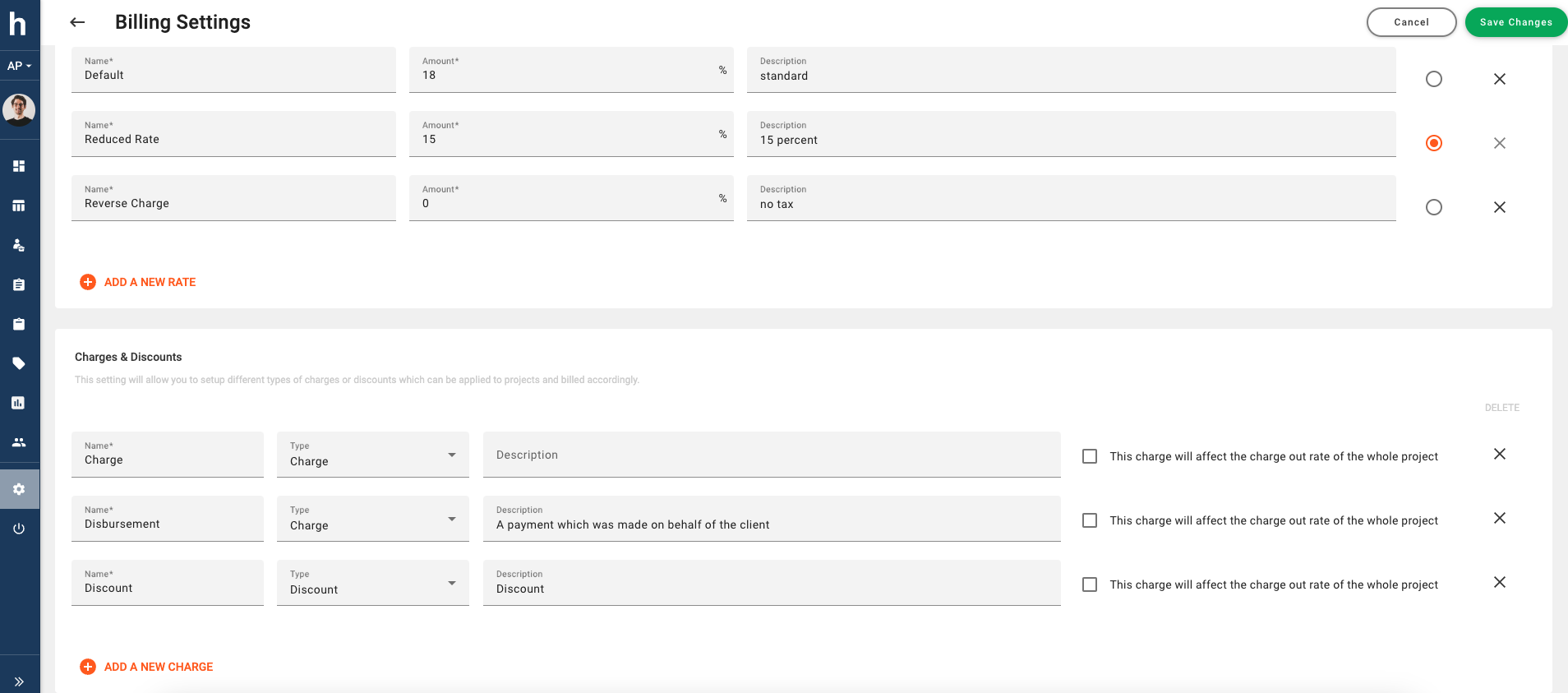
The charges functionality has just been given a major upgrade. Super Users in your organisation now have full control to define, modify or delete Charge types. When navigating to Settings -> Configuration -> Billing Settings a newly introduced panel will display all existing Charge or Discount Types.
Hidma comes pre-configured with two types of charges: Charges and Disbursements. With this new feature you will be able to define both Charges and Discounts (charges which always negatively impact a bill). It will now also be possible to specify whether each of these charge types will affect the actual charge out rates of users during billing.
For example, you might want to specify that Discounts will always affect the average charge out rates of users but maybe Disbursements should never has such an effect. Additionally, when configuring Default Tax rate options for Charge & Discount Types, you can select a default tax rate for each of the available Discount or Charge types.
New Feature (Billing):
And if that upgrade weren't enough, it is now possible to define Charges or Discounts with percentage values! Supplementing your bills with commission-based charges, mark-ups or percentage-based discounts has never been easier. You can also view a video explainer here.
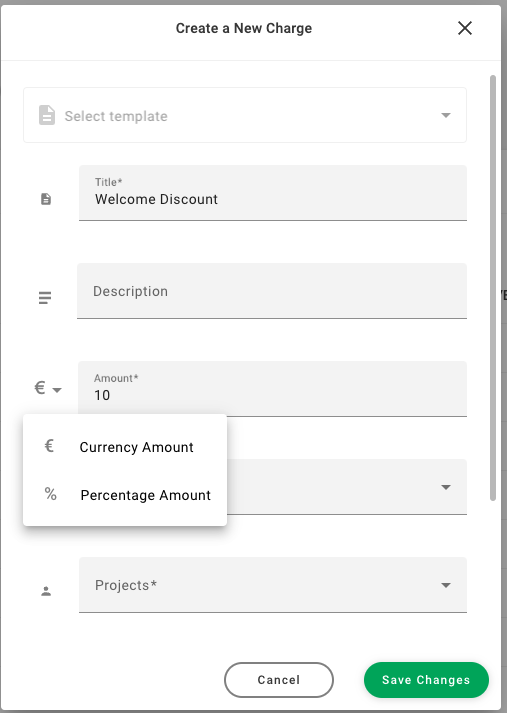
When adding a percentage charge or discount to a bill, you will be asked to choose between adding it to the whole bill or adding it to a selection of items already in the bill instead.
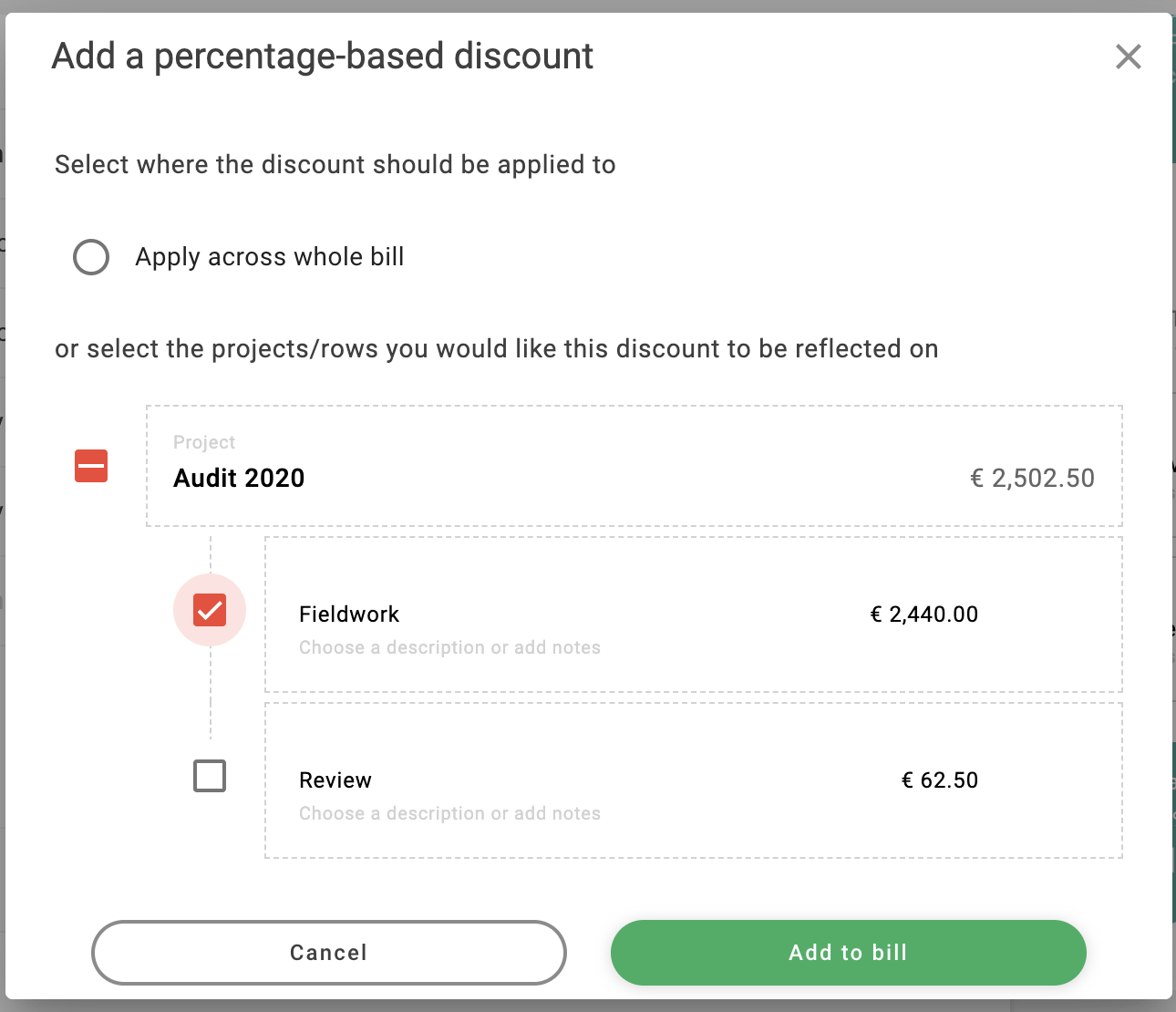
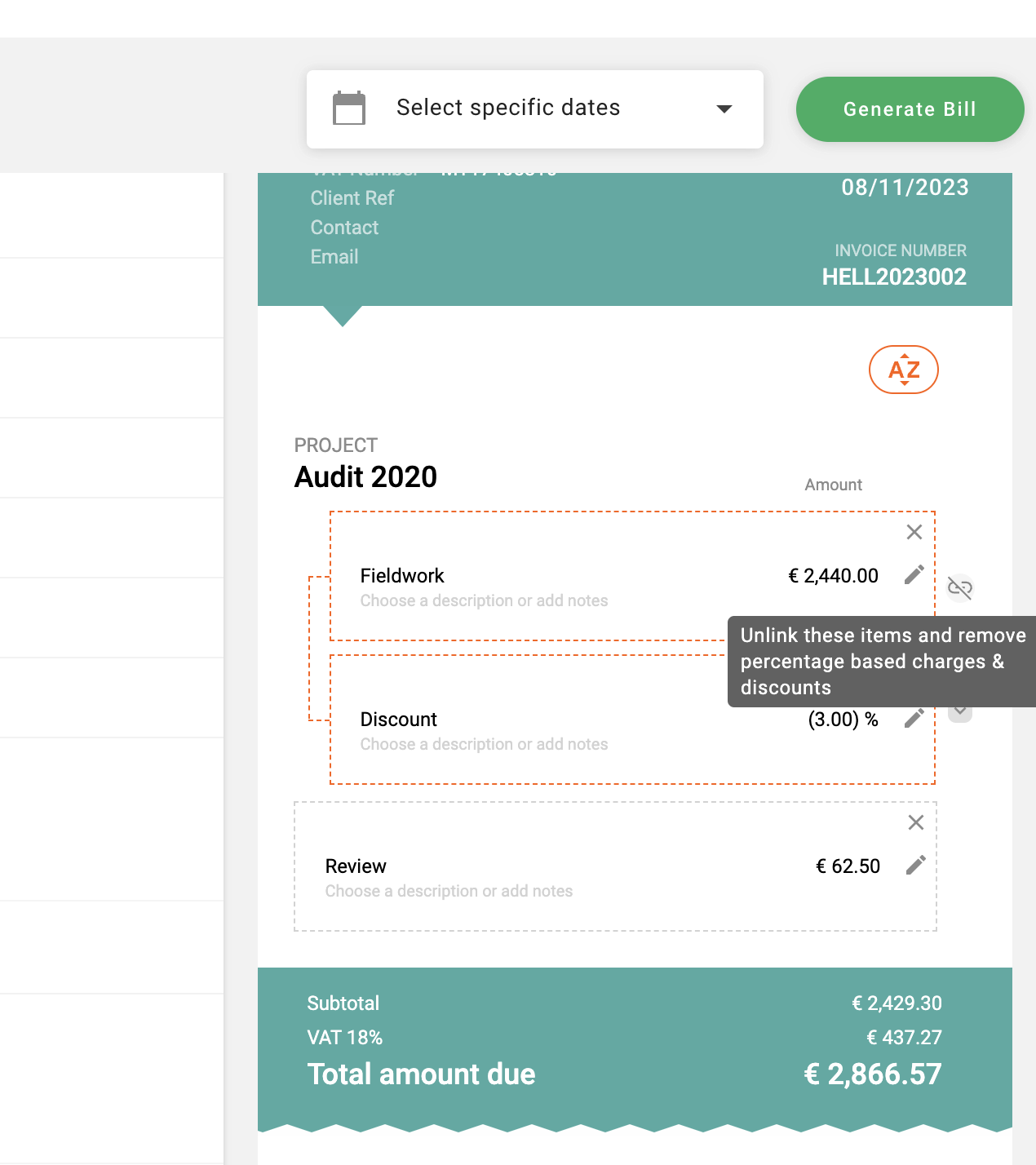
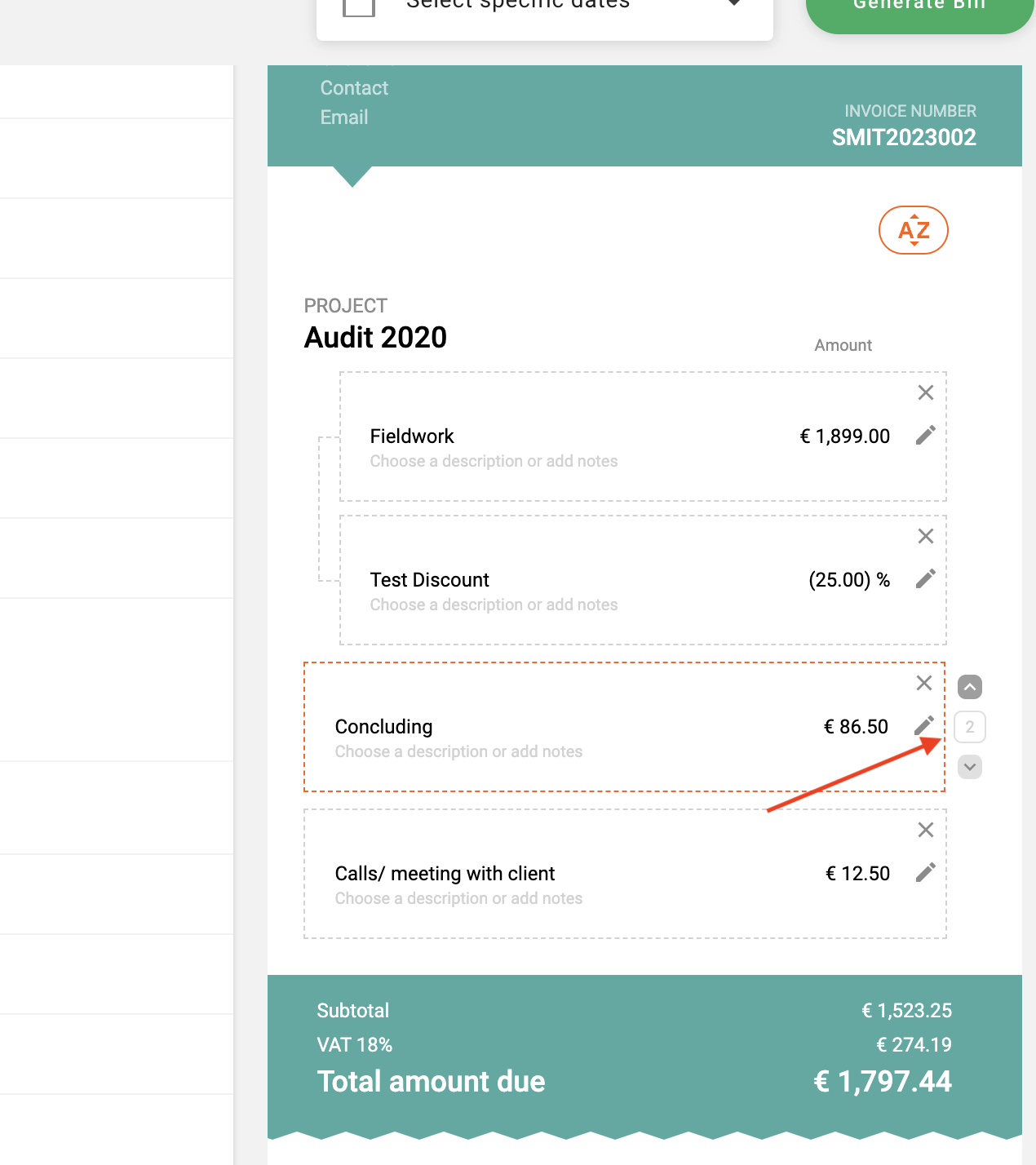
If you choose to add it to a group of items already within the bill, the selected items, along with the new percentage charge or discount will be linked together. Undoing such an action will also be very easy, simply hover over the linked bill rows, and press the unlink button (as seen in the below image)
Improvement (Billing):
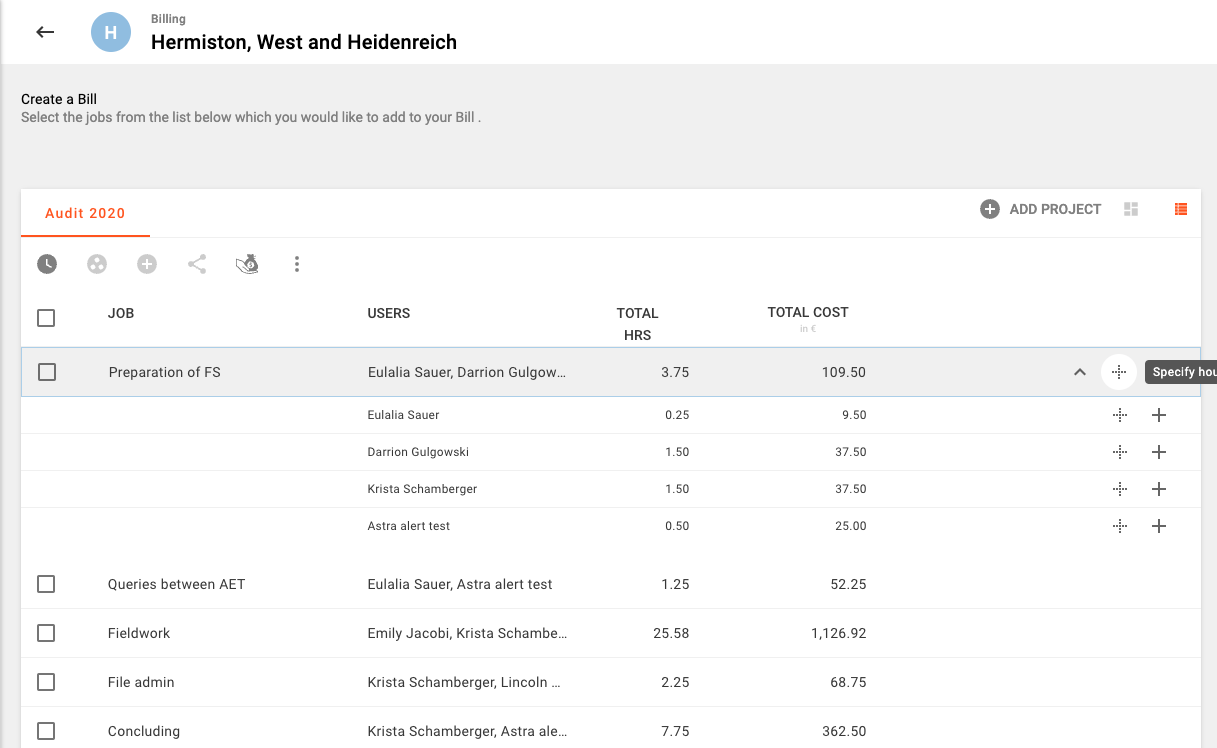
You are now given full flexibility to specify how many hours you would like to add when adding time to a bill. When a number of users have accumulated against the same job, you can also choose to add a part of these hours to your bill. (You may also view a short video explainer here)
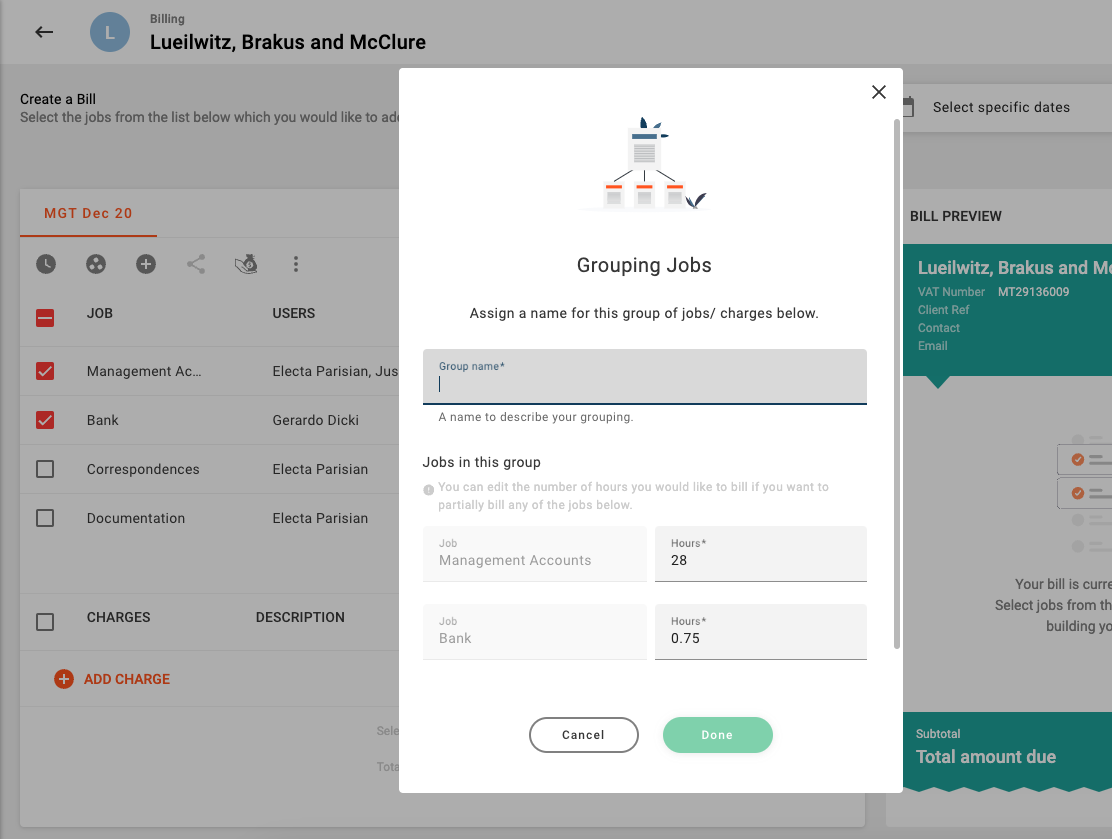
This flexibility has also been extended to Job Grouping, you are now free to easily cherry-pick the hours you would like to add to your bill if needed.
Do you need to add all your unbilled project hours to your bill instead? No problem! it's still just as easy and quick to add all of your billables with the click of one button!
Improvement (Billing):
Bills now allow you to sort their contents. By default all bills be sorted based on time with the earliest work being listed first.
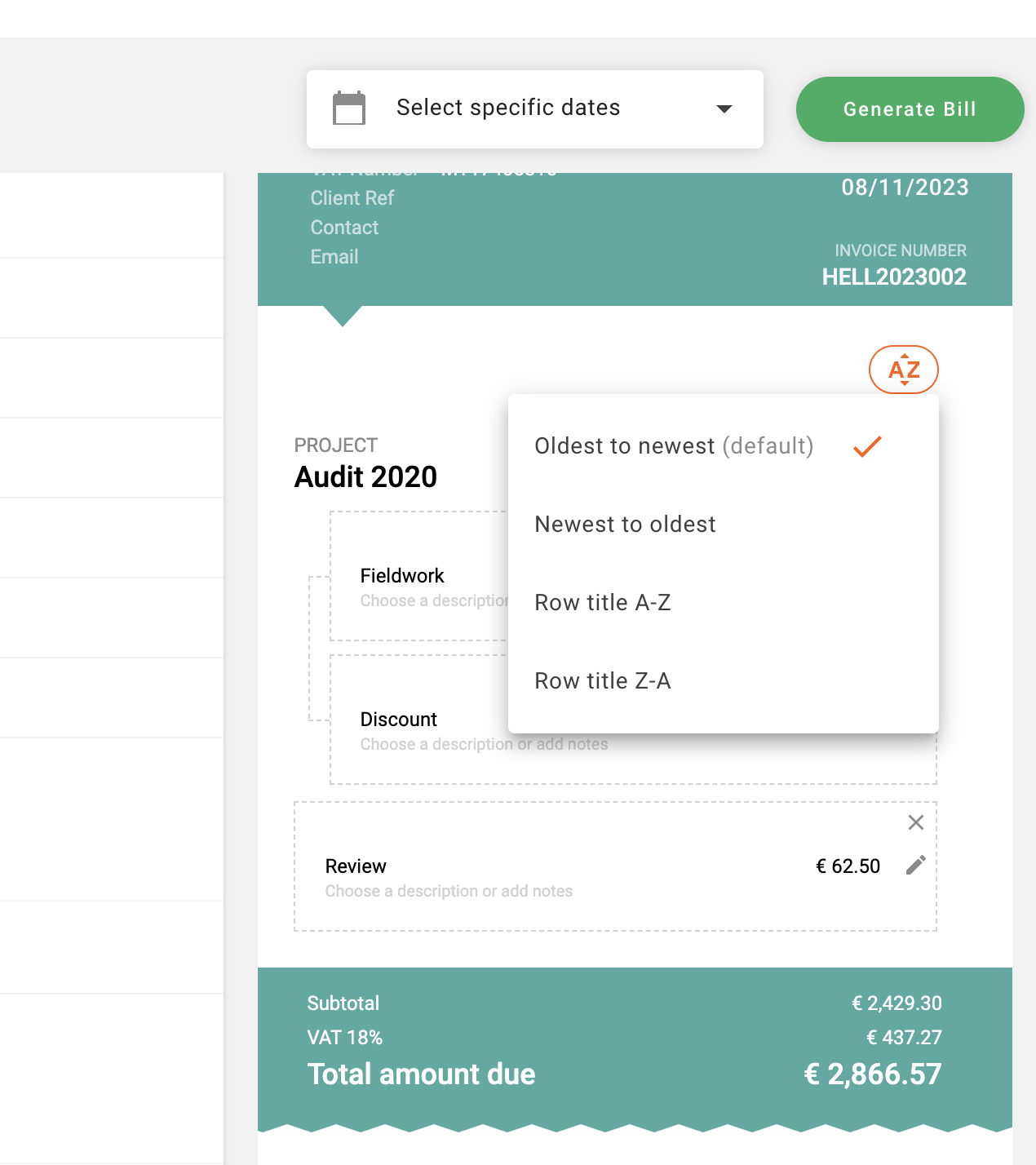
However other options for sorting are available and it is also possible to apply your own manual ordering in a bill. Whenever you hover over a row in your draft bill you will notice some additional buttons appearing on the right hand side of the row in hover. You may use the up and down buttons to move rows one position at a time, or else you may also click on the small number which appears between the two arrows and enter a new value to reassign that row to a specific position, just press enter or click out to close this off.
Fix (Billing):
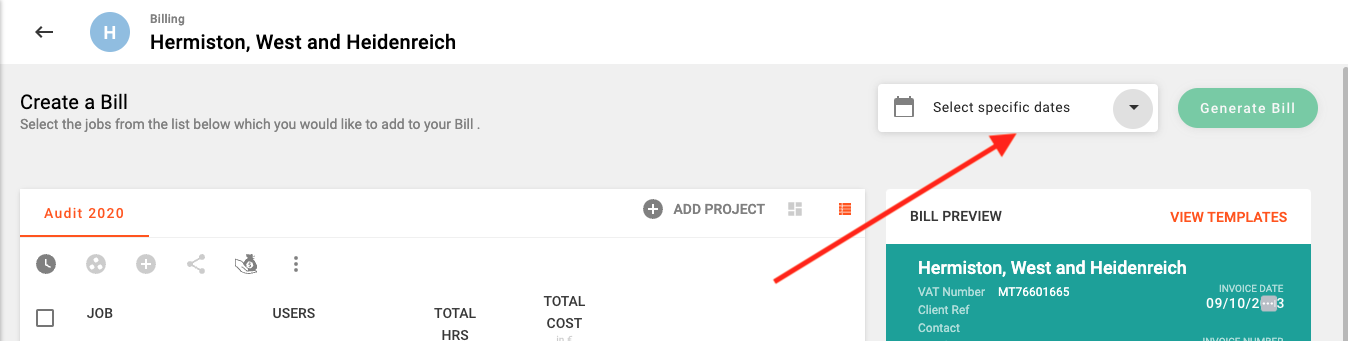
The date range selector in the create bills page now works as expected.
Release 1.12.0
Alex Farrugia
Improvement 🚀🚀🚀:
Hidma has just been given an internal makeover which makes it leaner and faster than ever before.... Hold tight!
Release 1.11.0
Alex Farrugia
New Feature (Projects):
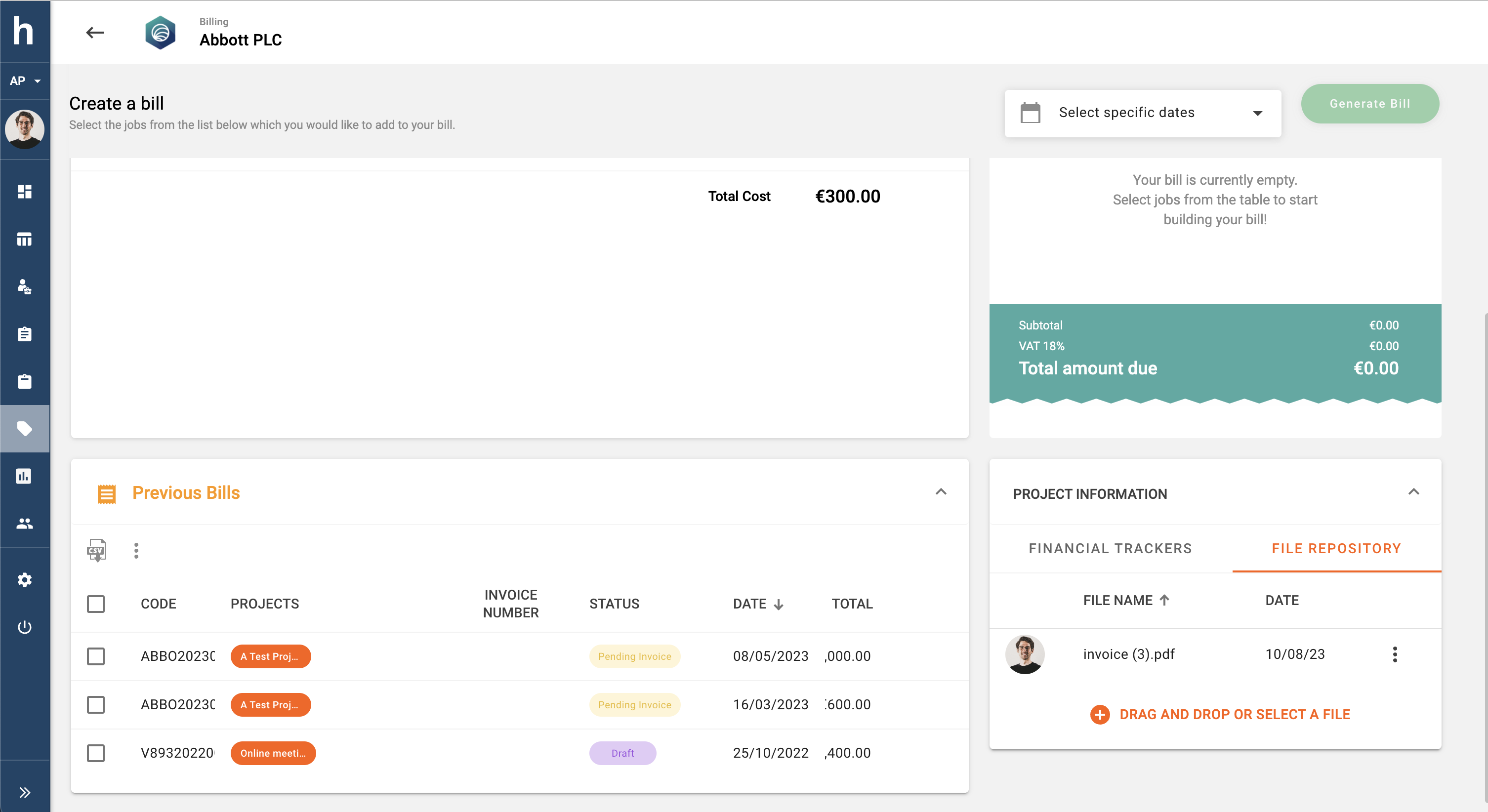
Hidma now allows you to easily associate files with your project. This handy feature will help you better organise any project related documentation such as perhaps, quotations, Project Scoping documents, in one easily accessible location. You can access this feature by simply navigating to a project's dashboard.
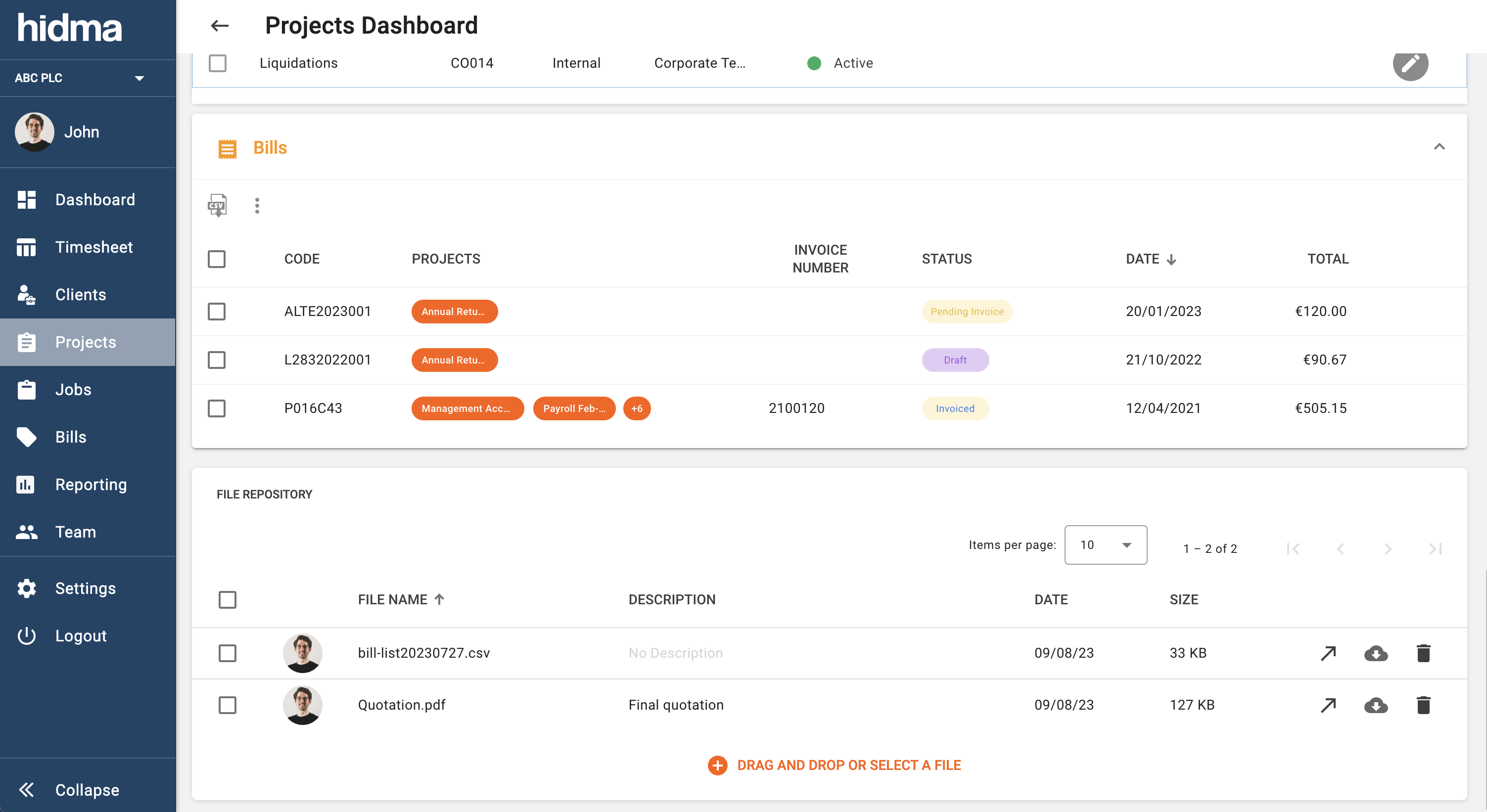
Once a file has been uploaded to a project, you can change its name and add a description to it as well. Apart from being able to quickly download the file from this new widget, if the file can be opened by a browser (for example, pdf or image files) you can easily open the uploaded file in a new tab. This feature is available on both desktop and mobile and a handy shortcut is also available in the Project Information section in the Create Bill page.
New Feature (Billing):
Billing is one of the few features of hidma which is not available when browsing on your mobile phone. The new Bill Cards feature though makes it possible to view a summary of existing bills whilst using a mobile phone.
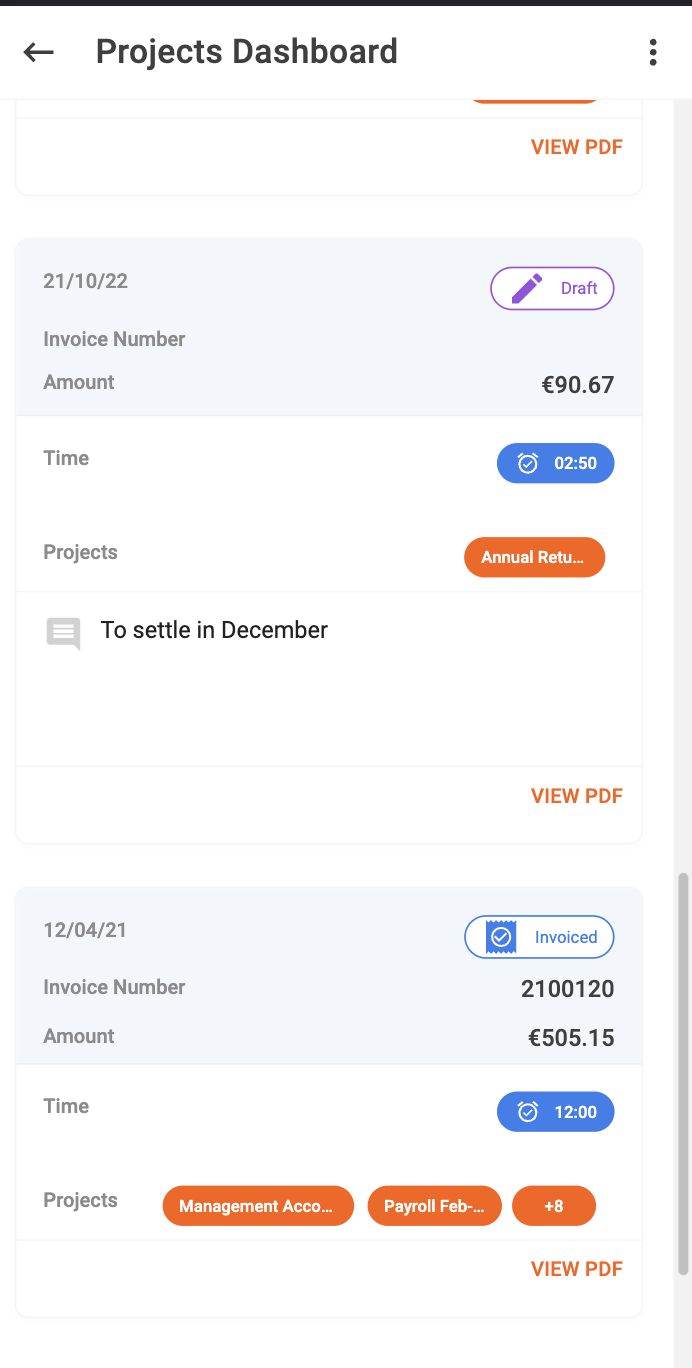
It's also possible to view/ download a pdf version of any these bills. This feature is accessible on any Client, Project or Client Group Dashboard.
New Feature (Teams):
Your organisation's super user now has full control over the Teams in your hidma account. By accessing the Teams Section in the Settings Page, it's now very easy to add new teams, change team names, assign a team manager and maybe a description as well as deactivate a team if necessary.
Fix (Billing):
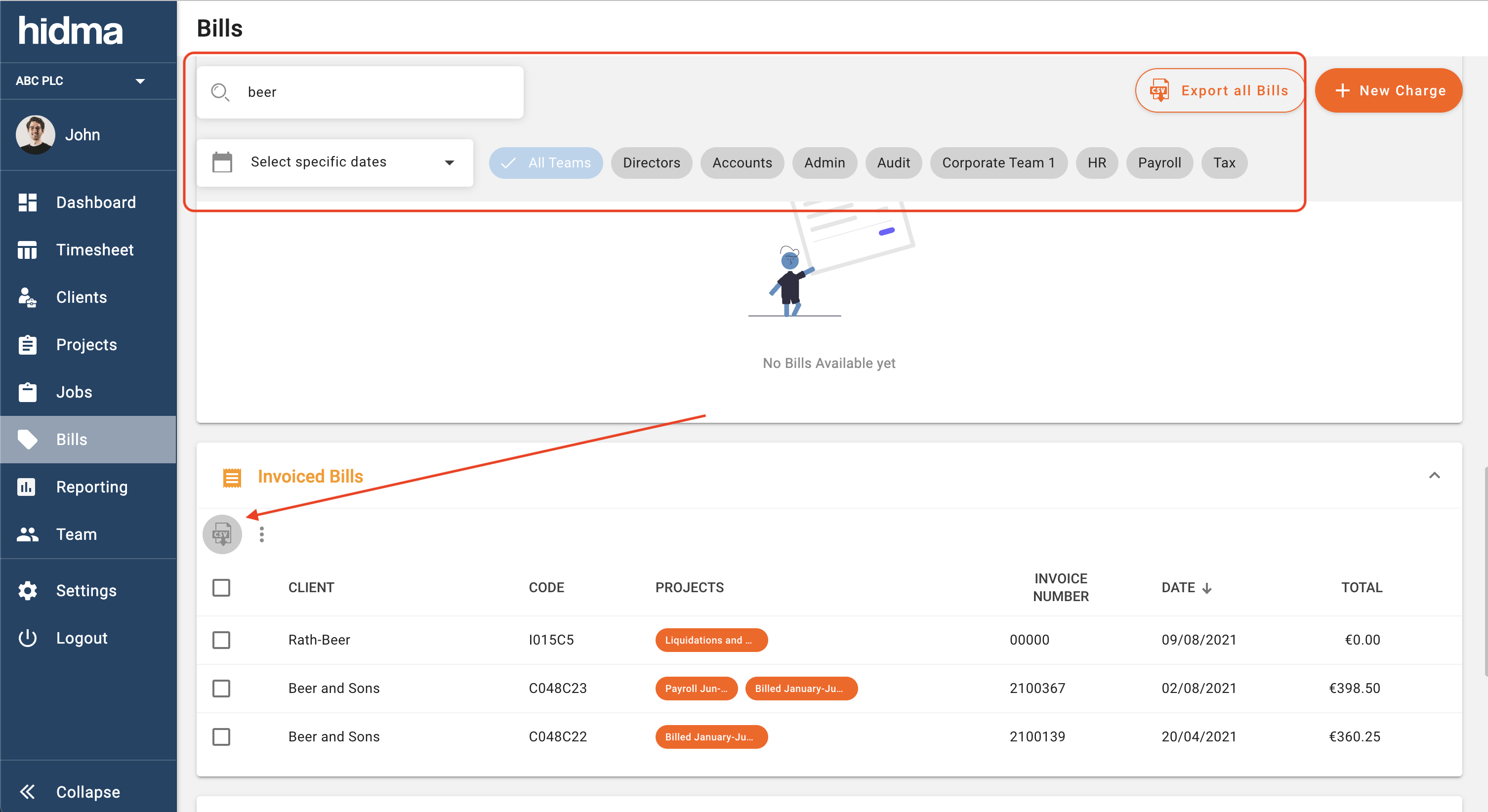
Downloading a list of bills as csv now respects any filters which would have been applied on the billing page.
Fix (Reports):
Reports now longer show entries carrying 0 hours.
Fix (Projects):
Project Dashboards will always render correctly now, even in some rare cases where some of the project data doesn't get loaded correctly.
Release 1.10.0
Alex Farrugia
New Feature (Billing):
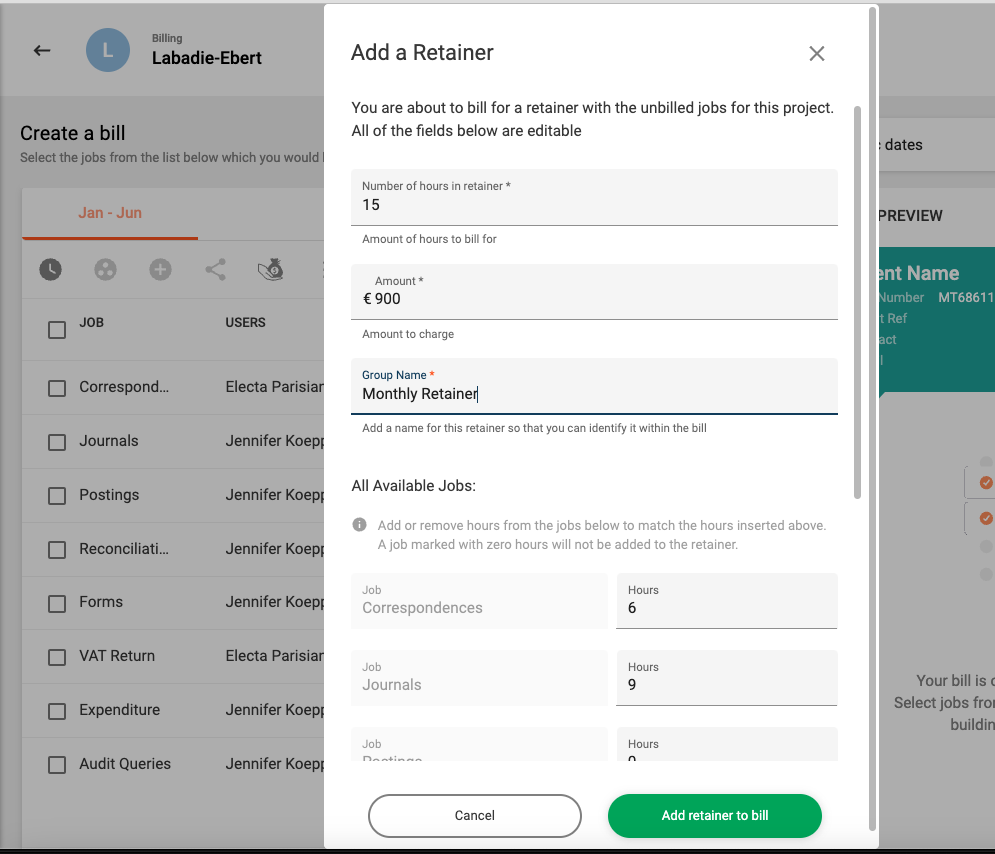
Billing your clients on the basis of a retainer has just been simplified. A new feature in the Billing Module now allows you quickly add a fixed amount of unbilled hours at a fixed rate to your bill.
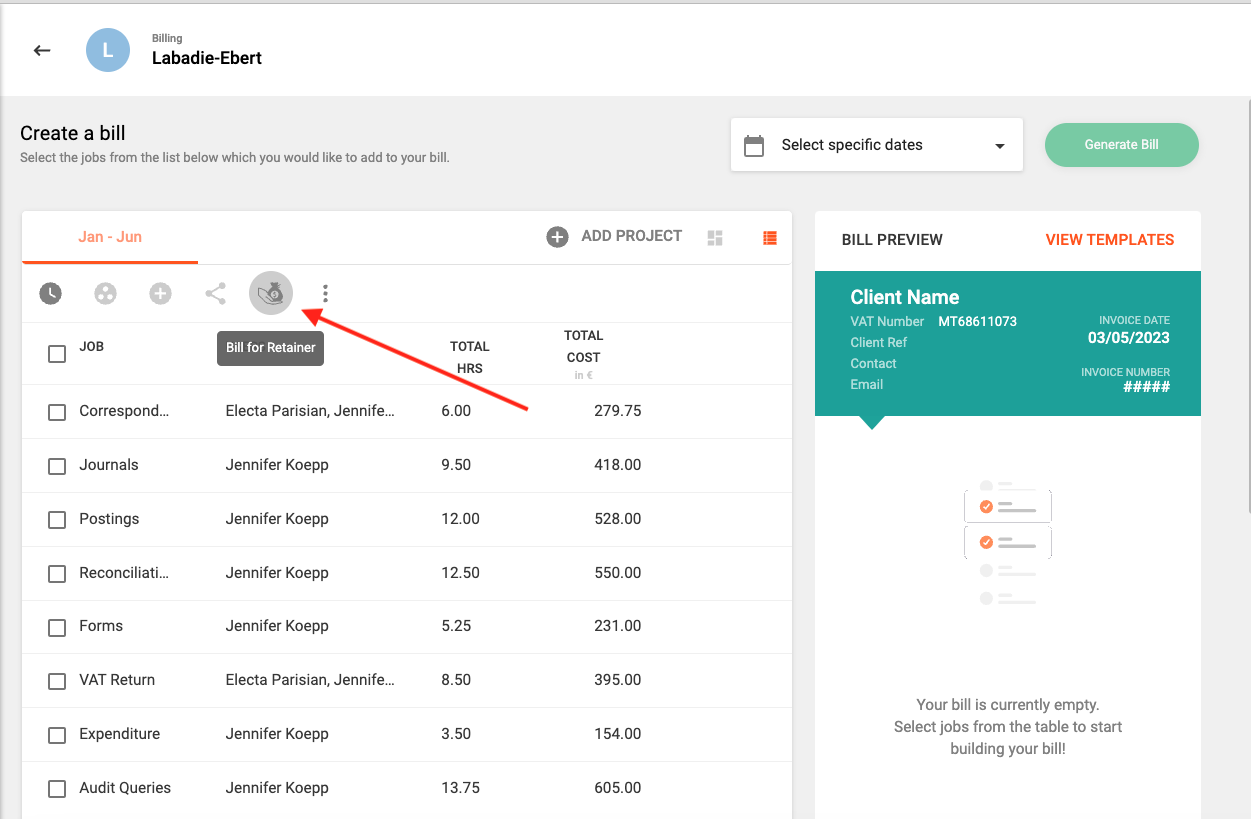
You can pre-select some unbilled jobs to consider for your retainer or you can just press the Bill for Retainer button immediately without doing so. You will then need to provide the total amount of hours the retainer covers, its total chargeable amount, and a description which will be shown on your bill. You will also have the liberty to change which unbilled jobs contribute to this retainer and by how much, or you can just let hidma automatically handle this for you.
Improvement (Timesheets):
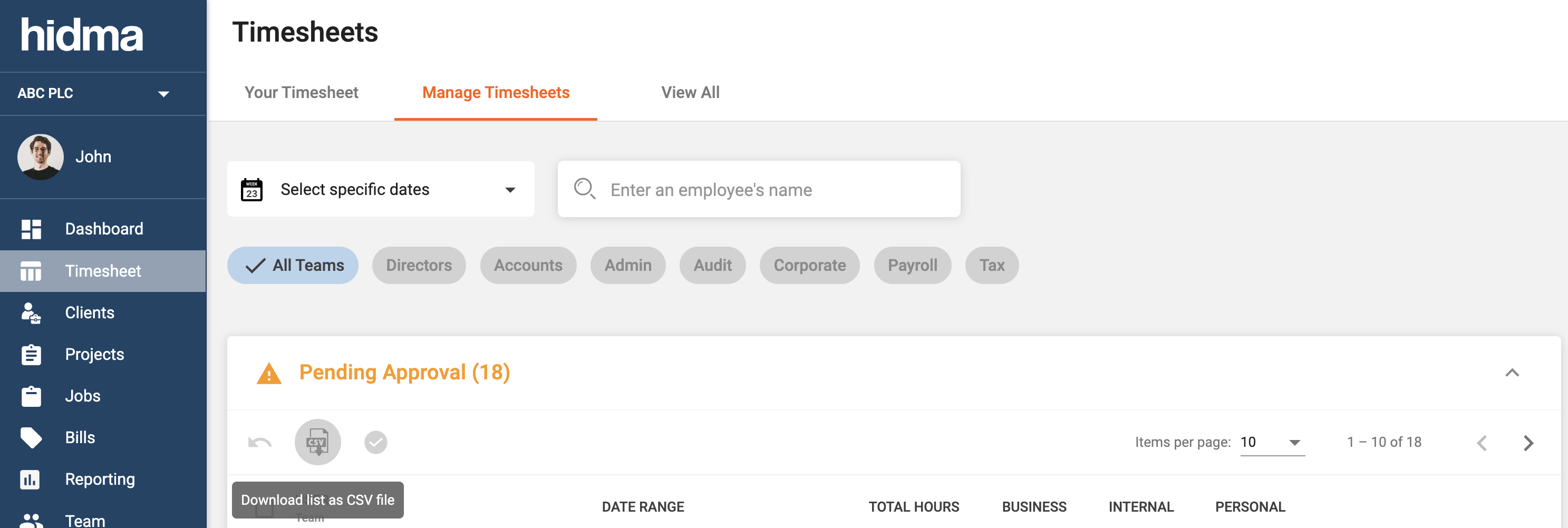
It is now possible to download a list of timesheets to a .csv file. This is particularly useful for managers or admin staff.;
Improvement (Billing):
Permissions for the generation of bills have been separated from those required for the creation or management of bills. This means that larger teams can assign bill creation rights to some of their team members without allowing them to actually generate the bills. Managers would then be able to review the draft bills before generating them themselves.
Improvement (Auditing):
Auditing relating to changes made to approved timesheets which were reopened is now more granular and details every single change which happens on the timesheets in question.
Fix (Timesheets):
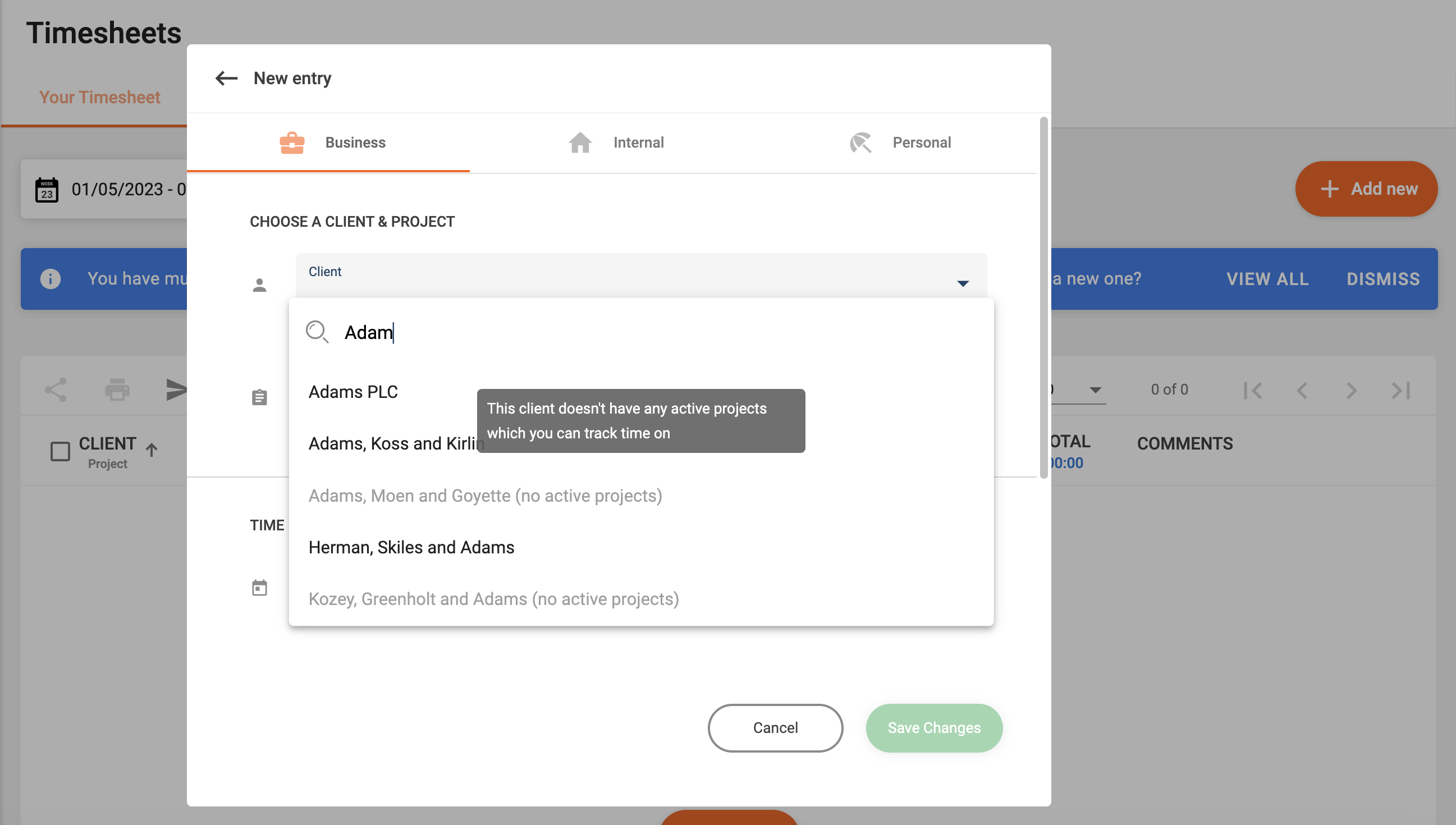
In the new timesheet row form, the clients' dropdown will now always show all clients, even if they have no projects which the user can assign time to.
Release 1.9.0
Alex Farrugia
New Feature (Client Groups):
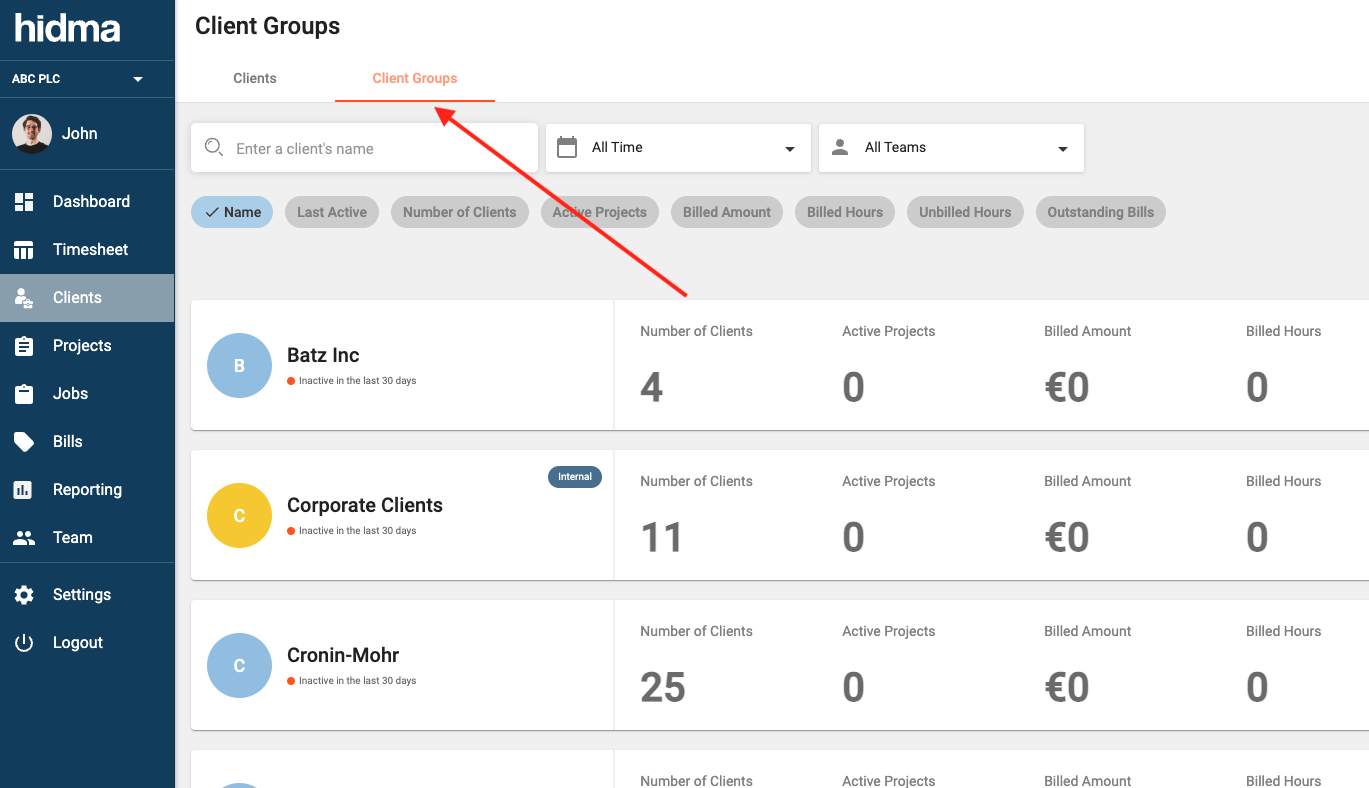
Time to organise your clients! This feature allows you to easily group clients together into a Client Group, providing you with a quick way of seeing combined statistics (and other information) related to them. Similarly to clients, client groups will have a dashboard which will provide you with an overview of the group and its performance. Another very compelling reason for creating client groups is the fact that they can be used in batch project creation. If you have a large group of clients which regularly require similar projects to be created, this will definitely save you a lot of time. In this case, it is recommended that these client groups are marked as being Internal, in this manner, hidma will recognise that these groups do not really represent a group of companies but are being created instead for the sake of convenience.
New Feature (Teams):
Team user profiles are now fully configurable and if you are a Super User then you can customise how a user profile looks as well as what fields it contains from within the Settings section.
New Feature (Teams):
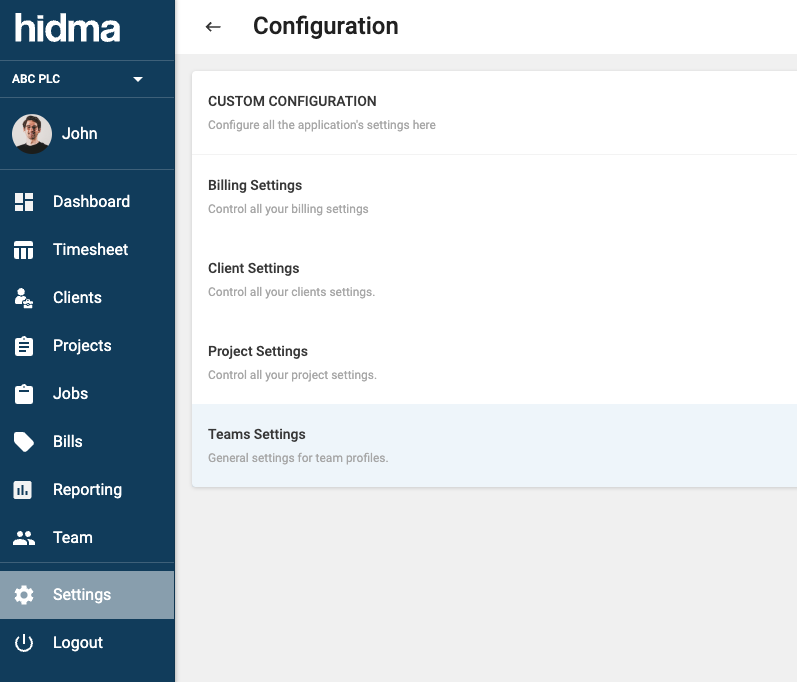
It is now possible to configure the amount of weekly working hours for each staff member. This setting would have to be enabled at an organisation level by a Super User first through the Teams Settings page. Once this is enabled, you will be able to select the Employment basis of the user in his or her profile as well as input the number of hours the user is expected to work per week. This feature can then be combined with optional warnings when a user is falling behind in the logging of hours in his timesheet as well as an optional blocking of new timesheets until the user has met his quota of hours in previous weeks.
Improvement:
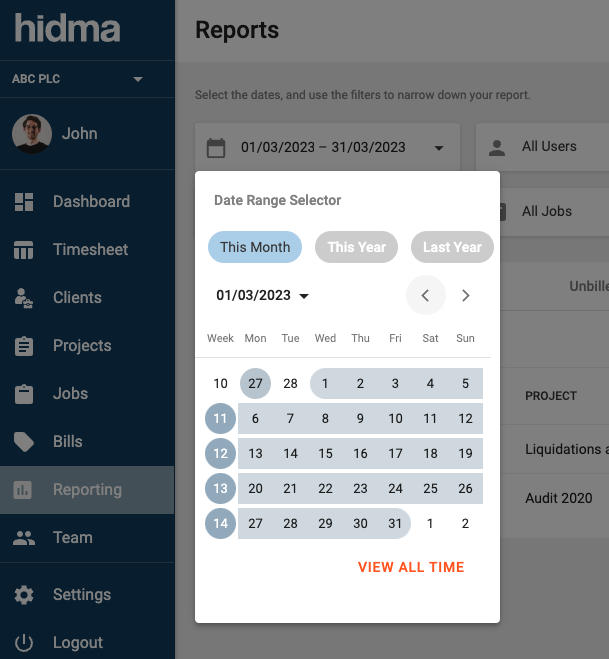
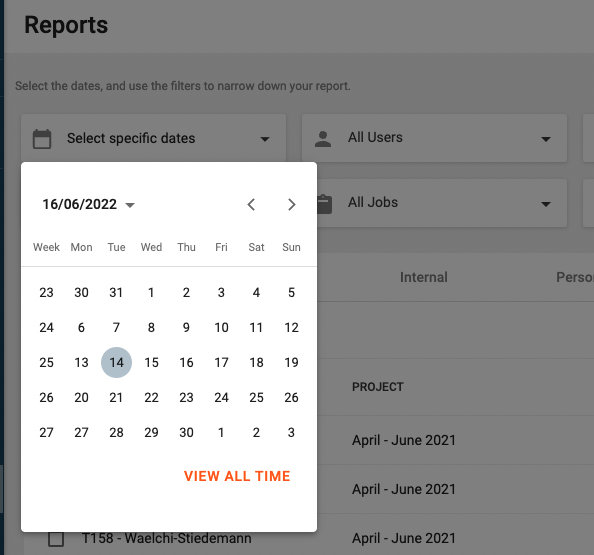
Date Range pickers now have 3 handy shortcuts which are bound to come in handy when managing timesheets or when generating reports. Who needs all those clicks anyway, right?!
Improvement (Reporting):
Users who do not have management permissions and/ or do not have access to the Reporting feature will now be able to generate reports based entirely on time logged within their timesheets. No financial data (costs, amount) will be exposed. With this feature, all users may very quickly browse through their logged time without having to search through countless timesheets.
Fix (Reporting):
When exporting a report in .csv format, the Job Type is now shown correctly.
Release 1.7.0
Alex Farrugia
New Feature (Reports):
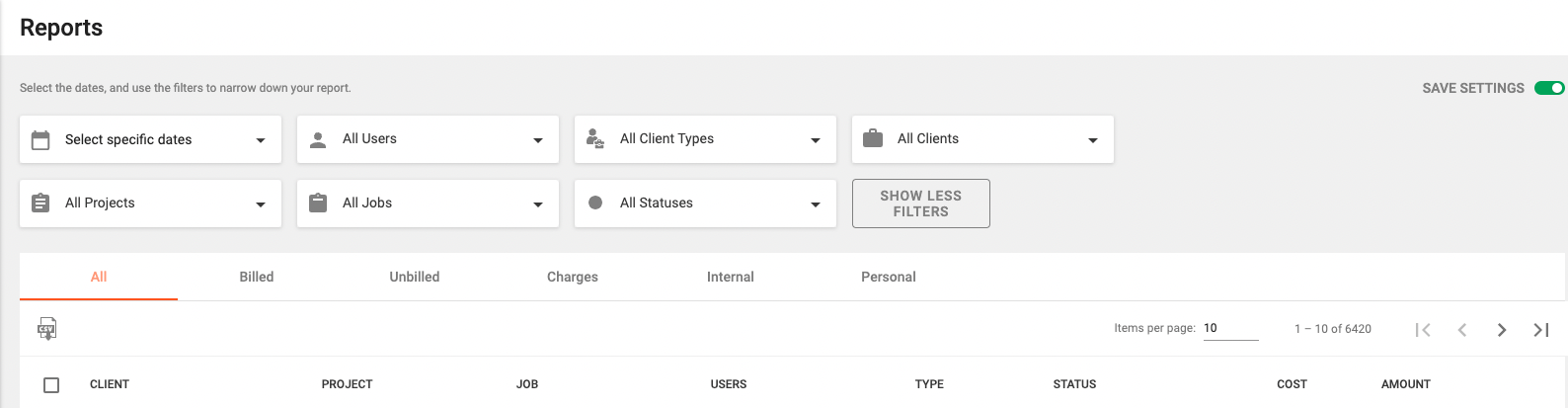
Two new tabs ('All' and 'Charges') have been added to the Reporting page. The first should be quite self-explantory and will allow to view any sort of transaction which matches your filters or viewing permissions, (this includes Charges as well). The Charges tab will instead give you a summary of any charges created within Hidma.
Improvement (Reports):
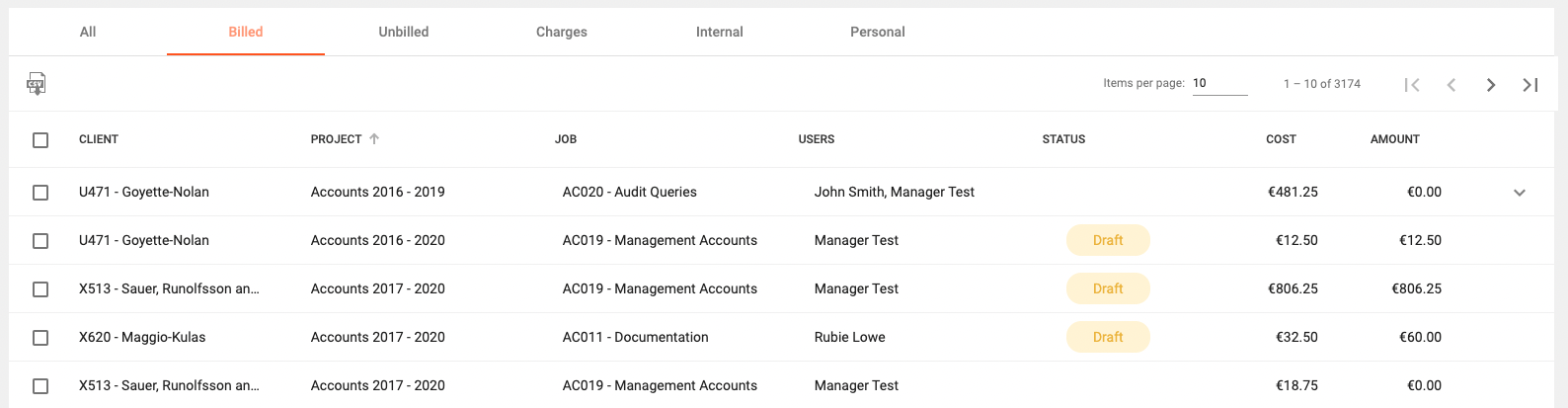
Reports now allow sorting by nearly all columns and a Status Column has been added for the All, Billed and Charges tab which shows the billing status of the row in question.
New Feature (Users):
A new feature which all team managers are bound to appreciate is the Charge out Rates widget in a user's dashboard. This widget will display a chart where work carried out by the user in different projects is represented as bars (which represent the amount of hours worked) and a super-imposed line graph which illustrates the average charge out rate for each of these bars.
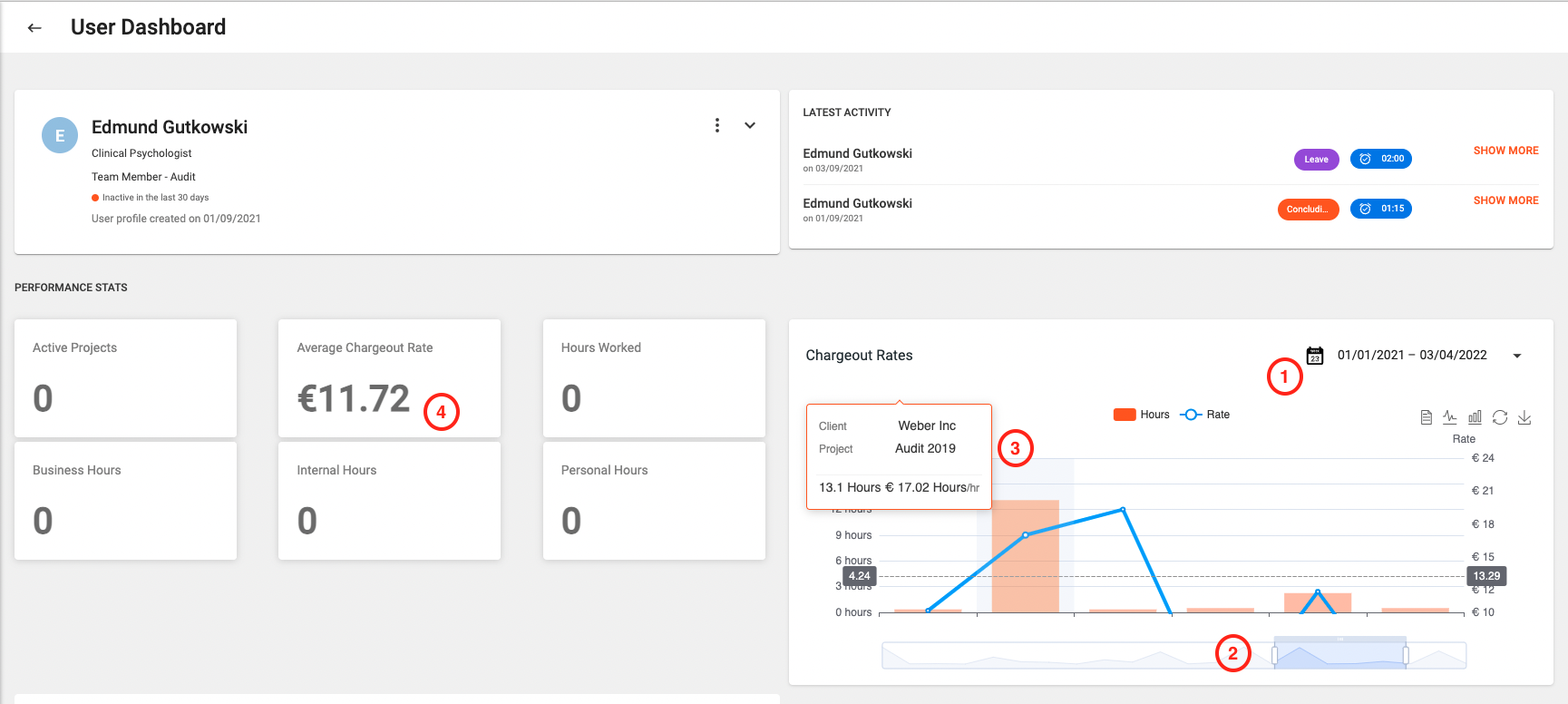
Projects will be displayed based on when the user was actively working on them - and you will be able to customise the date range by clicking on the date range picker (1). At the bottom of the chart you will see a scrollable bar (2) which can be used to scroll through the entire chart as well as to modify the viewing range. By resizing the scrollable bar you can control the scale of the chart. Finally by simply hovering on one of the data points (3), you should be able to see more details about the project in question.
Users' profiles will now also include a statistic displaying the Average Chargeout Rate (4) for the current calendar year. This figures is calculated using a weighted average mechanism, which means that the different rates per project are multiplied by the amount of hours within the project to provide a more realistic and accurate figure.
Improvement (Users):
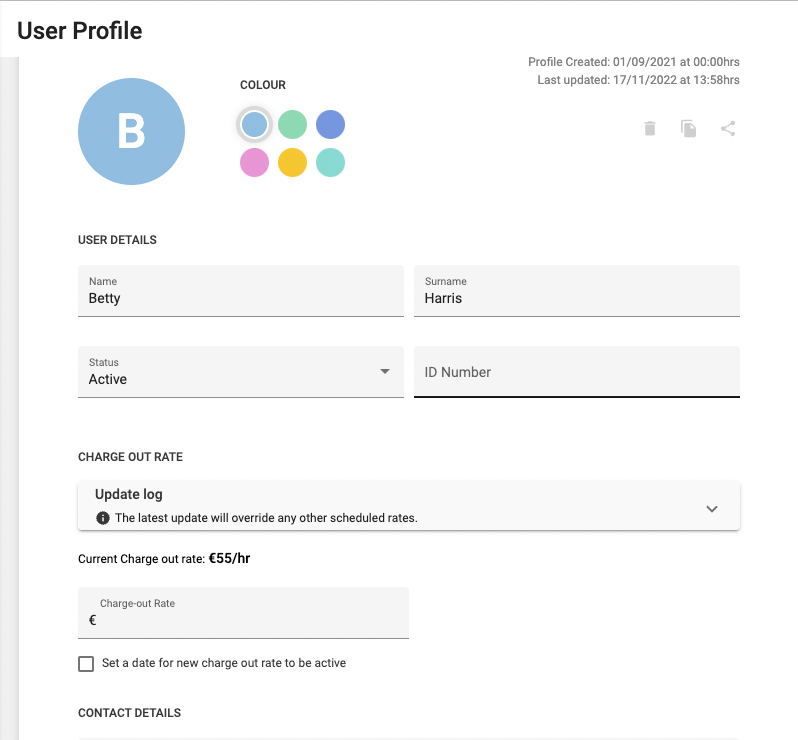
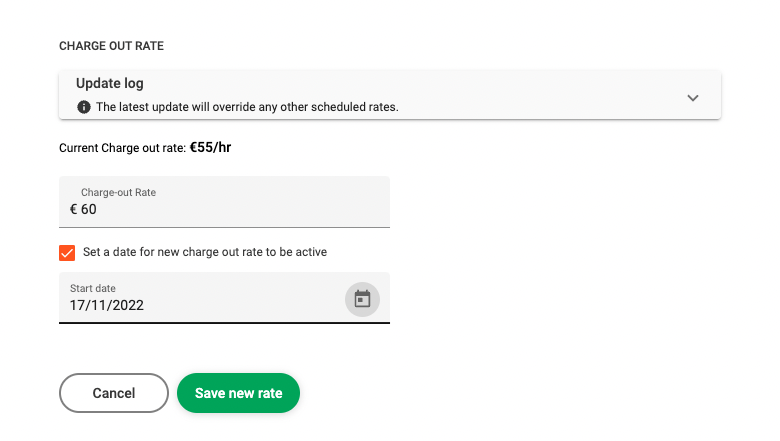
It is now possible to specify a starting date when changing a user's charge out rate. In choosing a date, one can either back-date a new applicable charge-out rate or else select a future day for this to kick in.
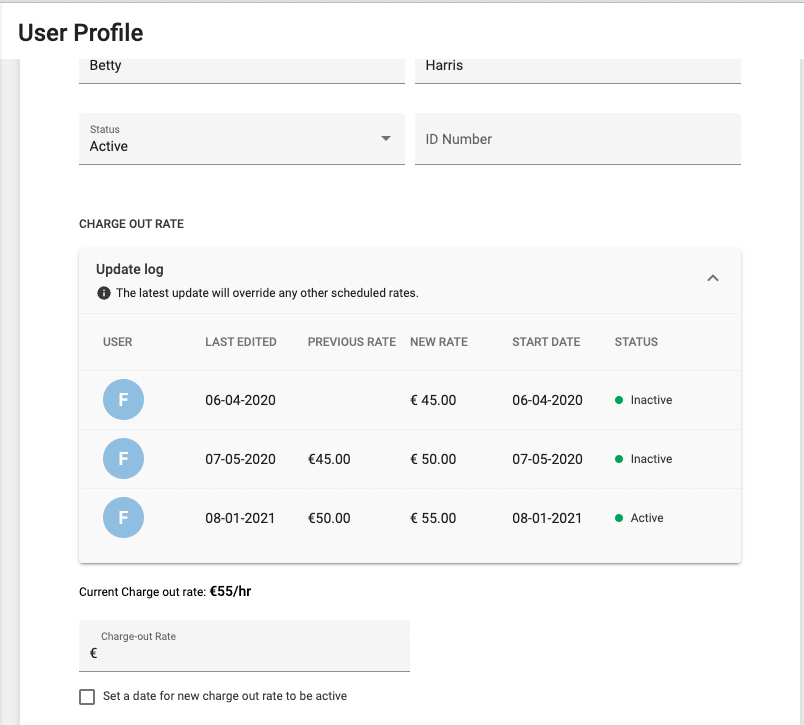
One can also see a log of all the changes which were made to charge out rates on the user's profile by expanding the Update Log field.
It is important to also note that one can end up overriding other existing rates if he or she specifies a rate with a start date which anticipates an existing rate's start date or else if one specifies a future start-date for a new rate, when a scheduled rate change has already been created.
Improvement (Projects):
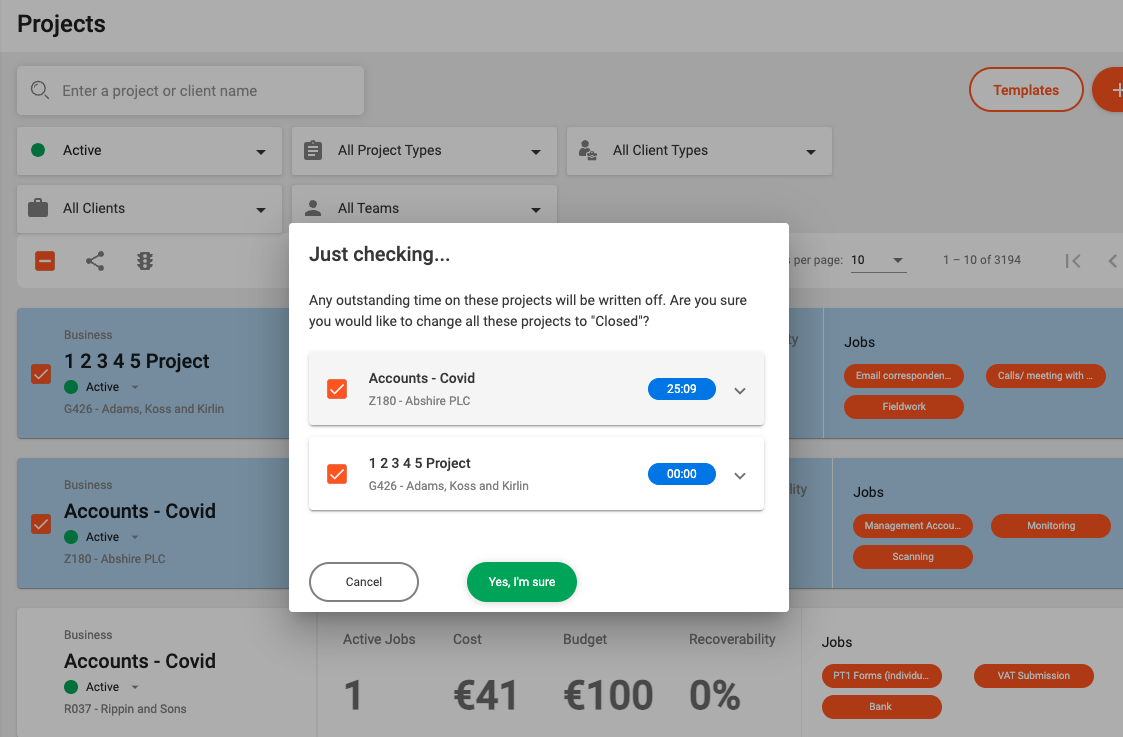
When closing a project (or multiple projects), a confirmation window will now pop up and show if you any of the projects have any outstanding time which as yet has not been billed. Each project will be listed along with the total amount of unbilled hours. If you would like to view the specifics of each project, you can simply expand the project field by clicking on the arrow icon. You can also choose to deselect any projects' checkboxes for any projects which you would want to exclude from this change.
Improvement (Timesheets):
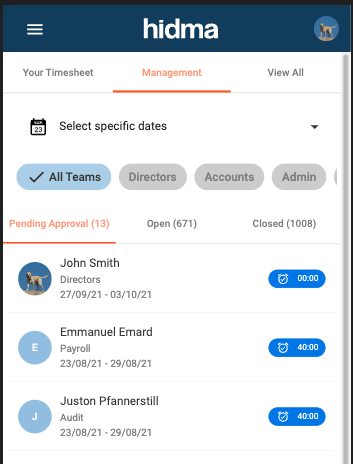
Viewing all your timesheets and managing other user's timesheets while on the mobile site is now much more user friendly. A tabbed approach allows for easier navigation across different timesheet states. Also timesheet start and end dates are displayed underneath the user's name.
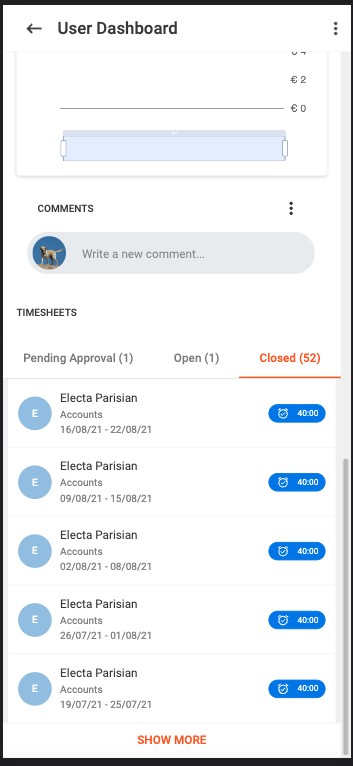
A similar interface is now also applied in the Timesheets' widget in a user's dashboard
Release 1.5.0
Alex Farrugia
New Feature (Projects):
It is now possible to configure the automatic generation of a unique code per project. This is something which would have to be configured at an organisational level, which means that if this feature is switched on, it will apply for all projects. By default, this settings is switched off.
New Feature (Projects):
Organisations can now define additional fields for their projects. Again this settings is at an organisational level, so once a new field is defined, it will apply for all projects. For the time being, this feature is not exposed in the Settings Module but can be changed by contacting support.
Improvement (Clients):
The Client Code can now be disabled across an organisational level. By default, the client code will remain part of a client's set of required fields, however if your organisation has no use for this, it is now possible to remove this field.
Fix (Timesheets):
A number of problems with the scrolling or panning when accessing the Timesheets feature on a mobile phone, should now be addressed.
Release 1.4.0
Alex Farrugia
New Feature (Clients):
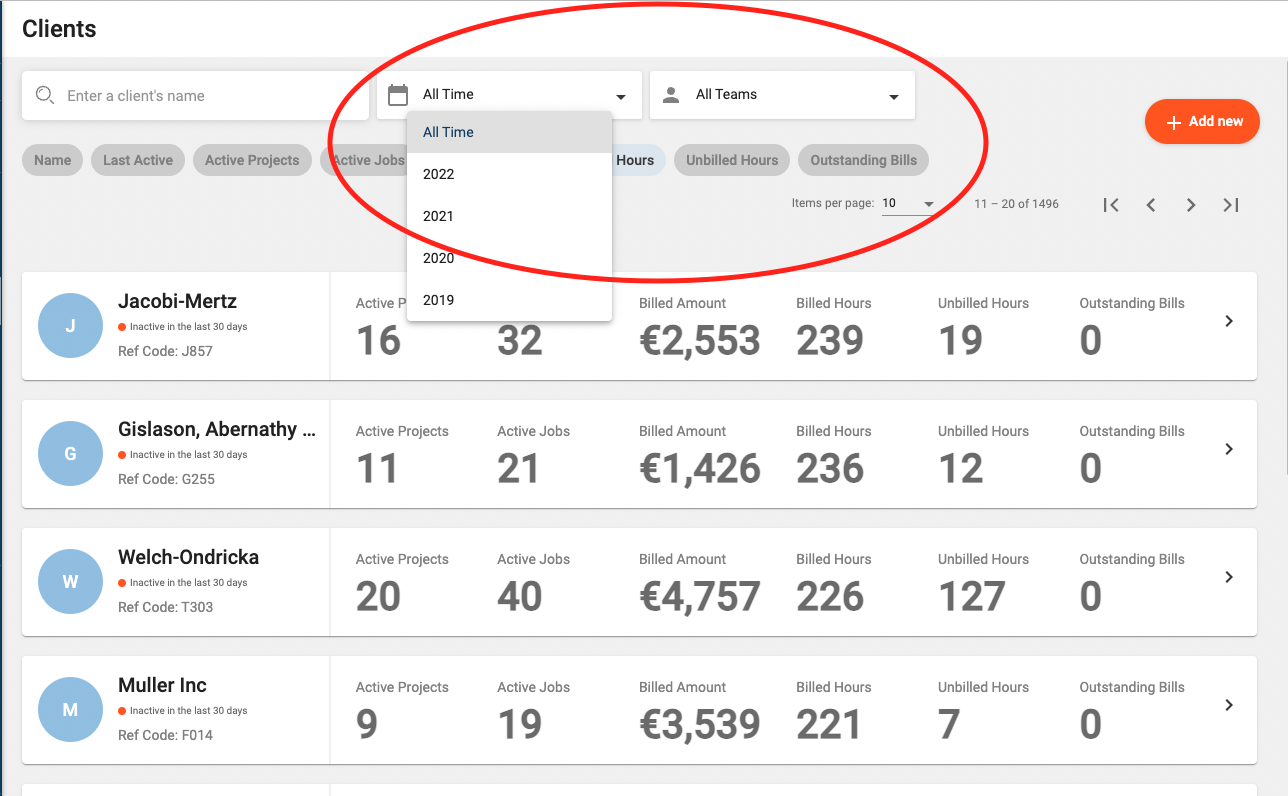
Team Managers will now be able to see Client Statistics in the Client Summary Page. Any user with Team Management roles (or more senior roles) will now also be able to view these Client statistics based on a specific year and or a specific team. This feature coupled with the existing sorting functionality of the Client Summary page allows for a much more informative browsing experience.
New Feature (Clients):
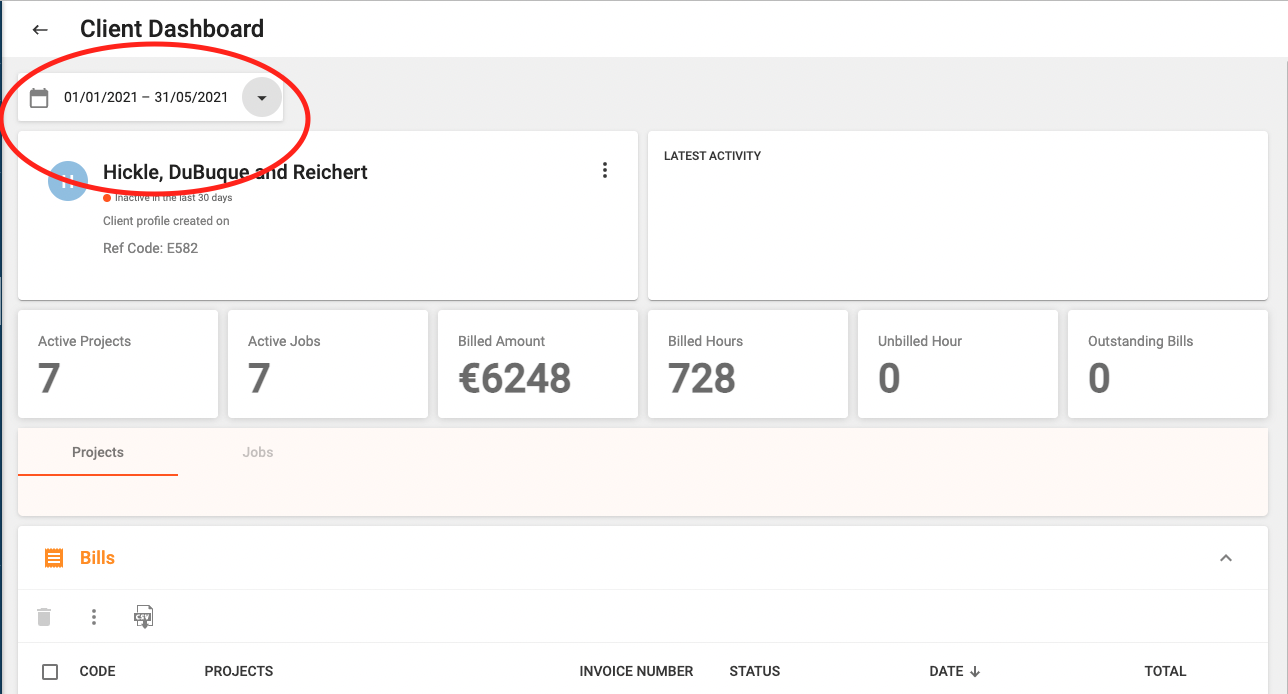
The Client Dashboard now allows you to select a date range and apply this to all the widgets in this dashboard. Client Statistics, bills, projects, etc will all be filtered according to the selected date range.
New Feature (Settings):
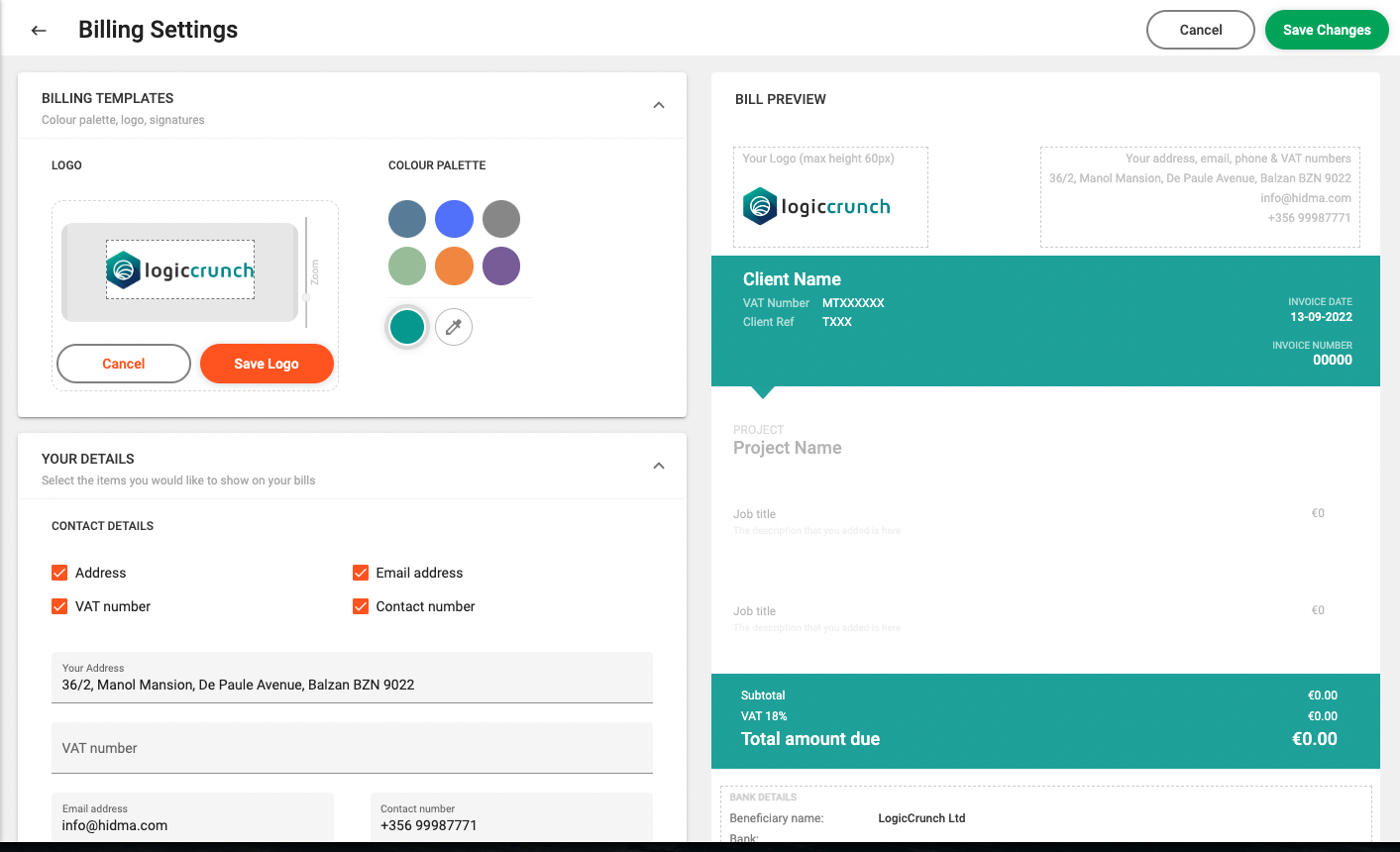
Superusers are now empowered to change the look and feel of Invoices, a number of options and configurations are provided which will allow you to adapt invoices to your brand and to add or remove additional information relating to payment details, your contact details or the client's details.
Improvement (Reporting):
Whenever a report is exported to .csv, an additional column detailing the time in hours (alongside the existing column detailing time in minutes) will be displayed.
Improvement (Timesheets):
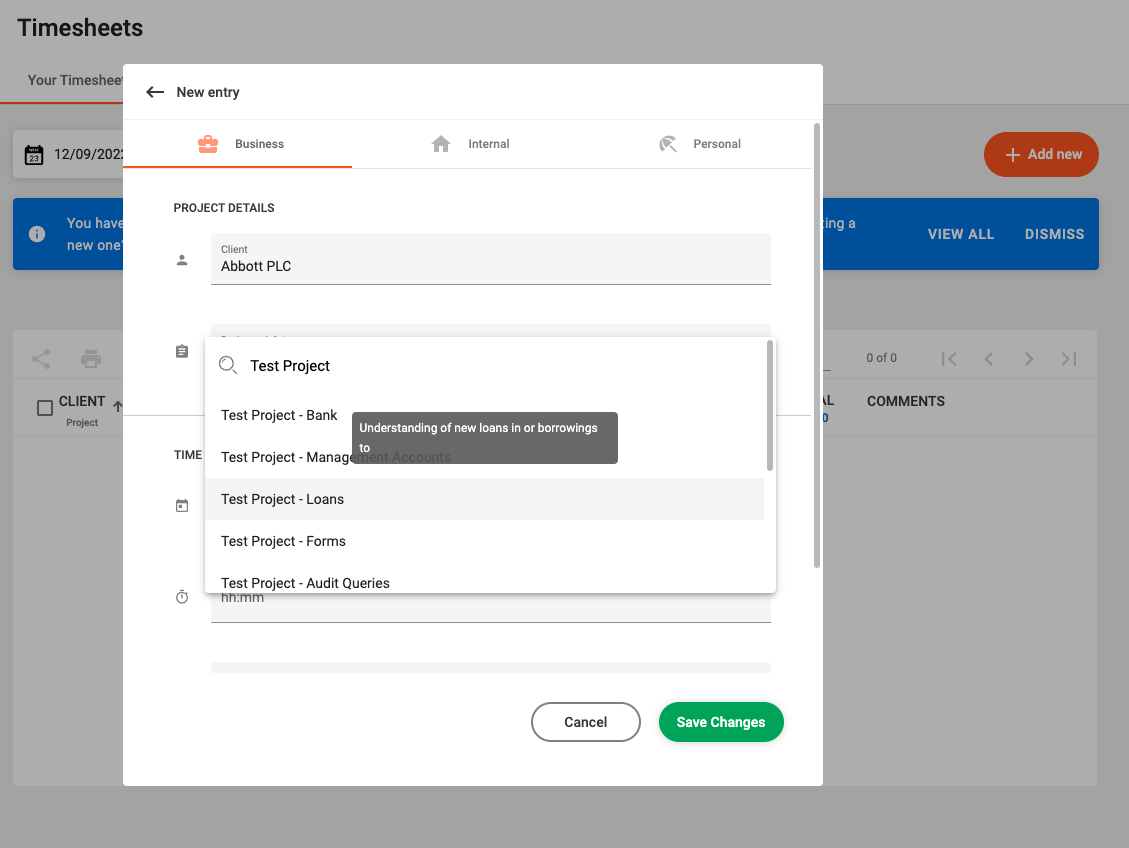
When adding a new timesheet row in (desktop mode), hovering over a job which has a description assigned to it will show a tool tip displaying the job's description. This will also happen if you hover of a job within an existing row which has a description assigned to it.
Fix:
Searching for client names or project names which contain symbols such as a hyphen - within them now gives more precise results.
Release 1.3.0
Alex Farrugia
New Feature (Settings):
The Settings page has just been launched! Since with great power, comes great responsibility, this feature will only be available to users which are assigned the Super User role as it will expose a number of configurations for Hidma. For the time being, only settings related to Projects and Roles, Permissions and User Roles can be managed through the Settings Page. Additional Configurations will be added with subsequent releases.
Improvement (Projects):
Whilst a project is active, the maximum recoverability of the project will be capped to avoid showing numbers which don't make sense, especially towards the initial stages of the project. The capping value can be configured through the Settings Page.

Fix (Timesheets):
Opening a timesheet other than this week's timesheet no longer loads a timesheet with locked rows.
Release 1.2.0
Alex Farrugia
New Feature (Billing):
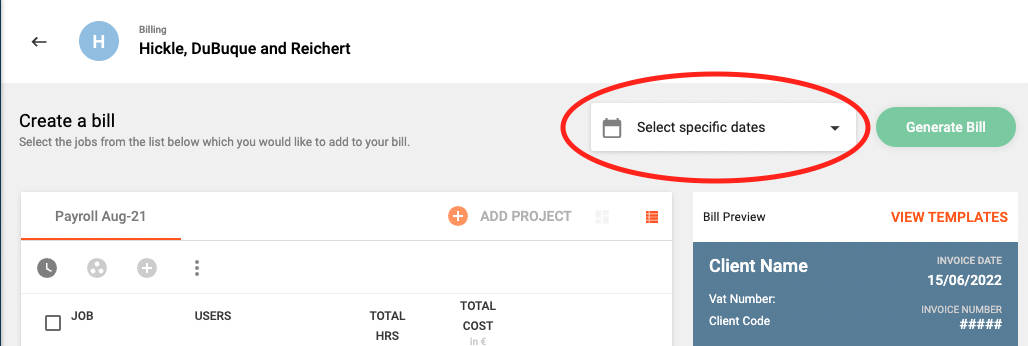
It is now possible to filter out work to be billed using a date range.
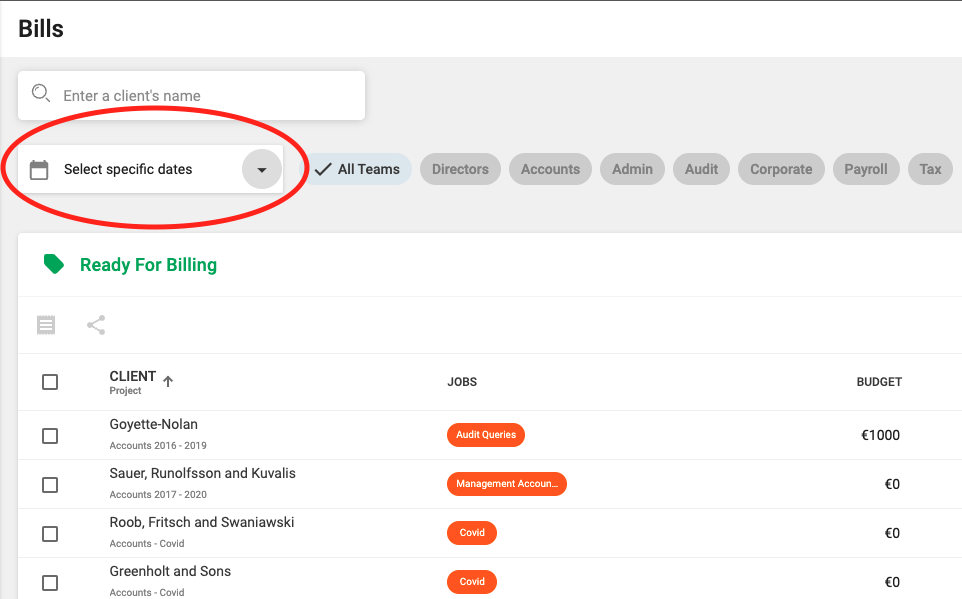
This can be used both in the Bill Summary page to filter out any projects which have unbilled work within a specific period as well whilst creating or editing a bill. If you apply a date range within the billing summary page, the bills shown in the various tables below the Unbilled Project Tables will also be filtered out based on the selected Date Range.
Improvement (Projects):
By default, only Active Projects are shown when you navigate to the Projects Summary page. Of course, if you want to view On Hold or Closed Projects, you can just change the Project Status filter and the list of projects will be updated.
By default, only Active Projects are shown when you navigate to the Projects Summary page. Of course, if you want to view On Hold or Closed Projects, you can just change the Project Status filter and the list of projects will be updated. Select an Image
Improvement (Reporting):
Fix (Login):
Error reporting in the login page has now been fixed and a failed login will produce a much clearer message.
Fix (Billing):
A bug which was affecting the page numbers in the Billing page has been addressed.
Fix (Billing):
The Add Project button in the create bill page will now always list all of the client's projects with any outstanding billables
Fix (Login):
Error reporting in the login page has now been fixed and a failed login will produce a much clearer message.
Fix (Timesheets):
In some rare situations, creating a timesheet row would result in two rows being created and shown on the timesheet. This should not happen again.
Fix (Teams):
Team Managers can now see the Teams Dashboard.
Fix (Projects):
After successfully editing a project and then returning to the Project Profile to edit it again, the system was generating a broken Project profile and a few errors. This has been addressed.
Fix (Bills):
In some specific cases, bils where being shown more than once when listing bills according to status. This has been fixed.
Fix (Charges):
Deletion of charges now works as it should
Fix (Timesheets):
Only Personal Jobs will be shown when trying to select a personal job from the dropdown whilst creating a new Timesheet Row.
Improvement (Reporting):
Report settings should now be saved correctly
Release 1.1.5
Alex Farrugia
New Feature (Projects):
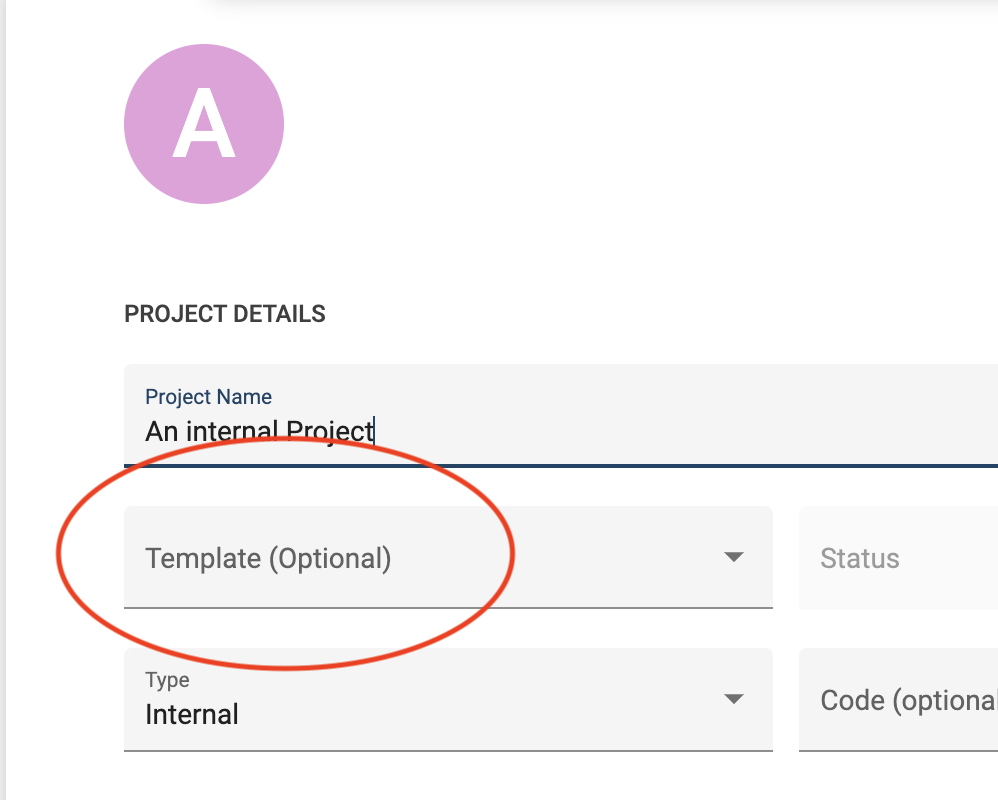
Creating a new project just became much much faster. By introducing Project Templates Hidma now allows you to define a blueprint for projects which are used on a regular basis.

Once a project template is created and shared with your team, you can start creating projects based on this template. You can also use project templates when creating internal projects or when creating projects for multiple clients.
When editing an existing template, you will also be given the option to propagate all the changes you made within the template to any projects which are associated with it. This is a very easy and fast way of changing details across a large number of projects. You will also be able to choose whether you want all projects associated with the template to have these changes reflected or just a subset of them.
If a project template is no longer relevant, you will also be able to deactivate it to prevent it from showing up and being re-used.
Fix (Projects):
An annoying issue relating to Client Selection when create a Project for Multiple Clients has been fixed.
Improvement (Billing):
A sub-total field has been added to the Bill Preview as well as to the actual Bills.
Improvement:
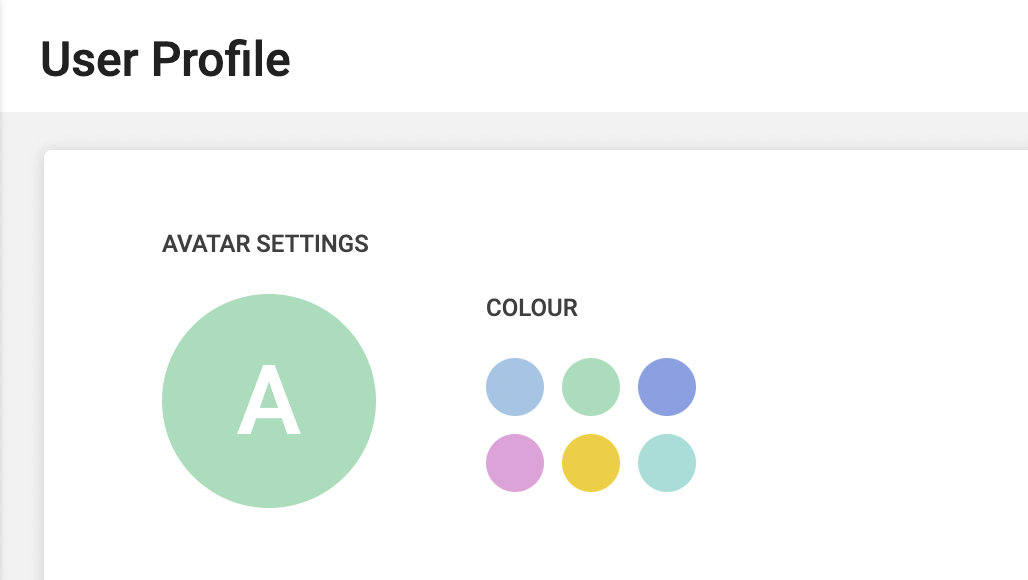
Apart from allowing you to upload a profile picture to users, clients or project templates, Hidma now alternatively allows you to change the background colour of the profile pic placeholder
Fix (Billing):
Users with the Administrator role are now allowed to delete Bills
Improvement:
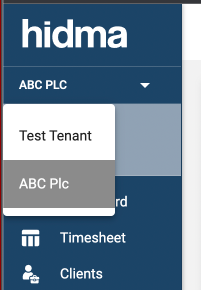
It is now possible to grant users access to multiple organisations residing on Hidma. If your user has access to more than one organisation, you will be able to switch to another organisation using the navigation bar. When you are not viewing your primary organisation, you will retain permissions or roles which were granted to you however you will be unable to access your timesheets, or make changes to your own profile unless you return to viewing your primary organisation.
Release 1.1.4
Alex Farrugia
New Feature (Projects):
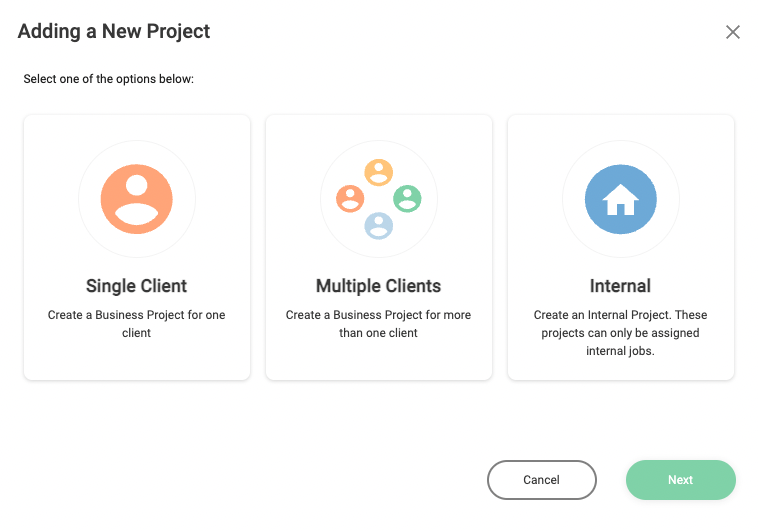
It is now possible to create multiple projects for a number of clients at the same time. This feature will help you save time when you need to create multiple projects with the same blueprint for a number of clients. This is also the final piece in the puzzle needed before Project Templates are developed.
Improvement (Projects):
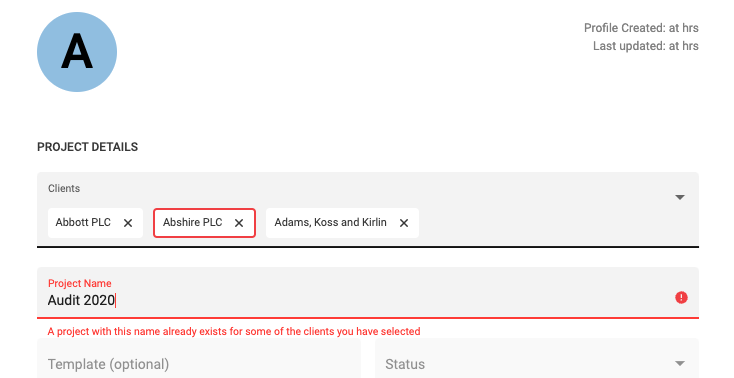
When creating any new project, the system will immediately check if the Project Name is unique. This check will be made for any kind of project created, and if you are creating a batch of projects, each client selected will be checked for project name uniqueness.
Improvement (Projects):
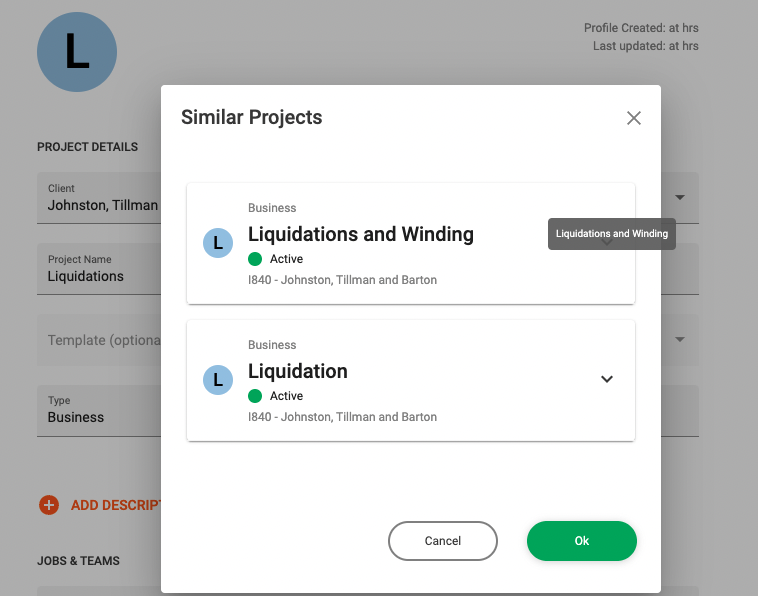
If your project name is unique but it is very similar to other projects with a similar name, (for example 'Liquidations' is very simlar to Liquidations and Windings'), you will be informed. If you ignore this notice, you will be asked to confirm that you are ok with this situation before creating the project(s). This will help avoid situations were multiple projects are mistakenly created for the same purpose.
Improvement (Projects):
You will now get much clearer feedback when creating or editing projects if the form has some form of error.
Fix (Projects):
The Financial trackers in Project Dashboards now show the correct Project Cost amount.
Fix (Billing):
The Create Bill function now correctly loads unbilled Jobs
Release 1.1.2
Alex Farrugia
Improvement (Billing):
Exporting a list of bills to csv will now also include the team name of the user who created the bill
Release 1.1.0
Alex Farrugia
New Feature:
Hidma now allows users to upload a profile picture to their user profile. It is also possible to upload/ add a profile photo for client profiles. If you are using the application on your phone, you can also your device's camera to upload a photo instantly. This feature not only introduces a bit fun to the application but can help with faster visual identification of users or clients especially when going through long lists... so what are you waiting for, get snapping!
Improvement:
Projects and Jobs no longer share the same page and are now split. This is immediately obvious when looking at the navigation bar. This improvement was recommended during some User Tests which were performed in Q4 of 2021, and it is now also necessary to enable new upcoming features related to Projects.
Improvement (Jobs):
Jobs should now load faster thanks to some improvements which were just added. You might also note that it is now possible to see and manage jobs on your mobile device. Apart from this, any comments which were added to a job are now also being displayed in the Jobs' table. A number of filters have also been added to the Jobs' Summary page which should help you browse through jobs with greater ease.
Improvement (Performance):
Client, Project, User and Team statistics are now calculated in a more performant manner.
Improvement (Mobile-view):
Clients, Projects and Job summaries and view have now been optimised for mobile viewing. Any filters which are available on the application's desktop view are also available in Mobile View however they are neatly tucked away. Using the filters' icon, one can very easily view and change these filters.
Improvement (Projects):
The system will now start keeping very detailed Audit Trails relating to Projects. This means that any changes to a project will all be rigorously stored and documented within the system. At this stage, Audit trails cannot be viewed within the system however they can be extracted on an ad-hoc basis.
New Feature (Bills):
Users which have access to the Billing module are now able to download a csv file with a list of bills and their relevant details. This feature is enabled both in the Bill Summary page (across all bills) or in individual Bills tables such in Client or Project Dashboards. It is important to note that when using this feature in the Bill Summary page, the search term which is applied on the page will also be considered when one tries to extract all bills.
Fix:
Some users were sometimes experiencing a bug which would log them out of their session prematurely and without any prior warning. This issue should now be addressed.
Fix (Projects):
Project Cost is now displayed correctly in Project Dashboards
 Powered by ChangeCrab